
The Ultimate Guide to PDFZora: Master Your PDFs for Free (2026)
Introduction
Are you tired of paying exorbitant subscription fees just to edit, merge, or compress a simple document? In a digital world where everything from contracts to e-books comes in Portable Document Format, finding reliable PDF tools online free can feel like searching for a needle in a haystack.
Welcome to the ultimate guide to mastering your documents with PDFZora. In 2026, dealing with bulky, uneditable files shouldn’t slow you down. Whether you’re a student trying to merge research papers, a professional needing to secure confidential reports, or a business owner looking for a premium PDF tools website without the premium price tag, you’re in the right place.
In this comprehensive guide, we will explore everything you need to know about PDFZora, the undisputed king of document management. From how to compress PDF online to seamlessly utilizing a PDF converter free of charge, we’ll cover it all. Say goodbye to frustrating software downloads and hello to a seamless, browser-based experience.
Let’s dive into how PDFZora is revolutionizing the way we handle digital documents!
Table of Contents
- What is PDFZora?
- Why You Need a Dedicated PDF Tools Website in 2026
- Top 10 PDFZora Tools You Must Try in 2026
- Step-by-Step Guide: How to Master PDFZora
- Video Tutorials: See PDFZora in Action
- Benefits of Using PDFZora
- PDFZora vs. Competitors: Comprehensive Comparison
- Use Cases: Who Benefits from PDFZora?
- Security & Privacy Benefits
- Tips to Optimize Your PDF Usage
- Frequently Asked Questions (FAQs)
- Conclusion & Next Steps
1. What is PDFZora?
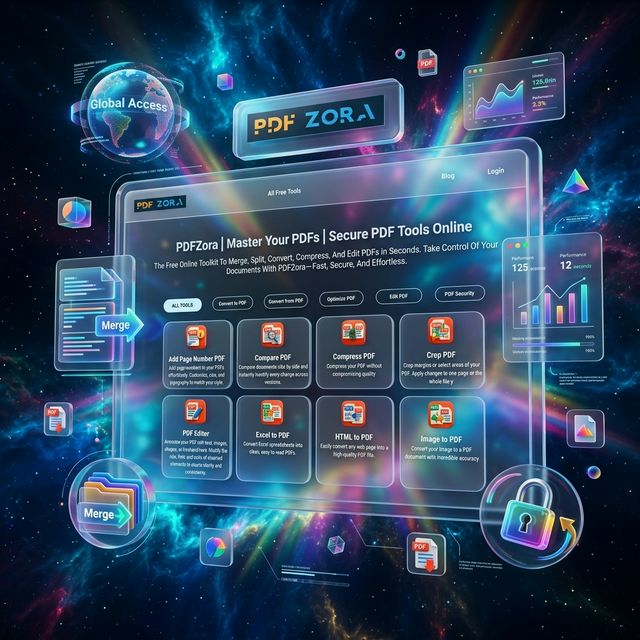
At its core, PDFZora is a highly advanced, all-in-one platform designed to simplify document management. It provides a complete suite of PDF tools online free of charge, allowing users to modify, optimize, and organize their files directly from their web browsers.
Gone are the days when you had to download heavy software like Adobe Acrobat merely to extract a page or sign a document. PDFZora operates entirely on the cloud, leveraging cutting-edge web technologies to deliver blazing-fast performance. Whether you are using a Windows PC, a Mac, a ChromeOS device, or even your smartphone, PDFZora gives you desktop-level power without the hassle.
The Vision Behind PDFZora
Digital documentation should be universally accessible. By tearing down paywalls and eliminating artificial limits on file sizes or daily usage, PDFZora has democratized document editing. It’s not just a utility; it is an ecosystem built to enhance productivity.
2. Why You Need a Dedicated PDF Tools Website in 2026
The volume of digital paperwork we handle daily has skyrocketed. According to recent digital transformation reports, over 70% of businesses rely entirely on digital documents. This shift means that having instantaneous access to a reliable PDF tools website is no longer a luxury—it is a mandatory requirement for efficiency.
The pain points of traditional document management:
- Software bloat: Downloading gigabytes of data just to merge two pages.
- Hidden fees: Tools that advertise as "free" but hit you with a paywall right before you download your finished file.
- Privacy concerns: Uploading sensitive tax forms or legal agreements to shady servers with no clear data retention policies.
- Compatibility issues: Formatting lost when sharing files between Windows and Mac users.
By offering a comprehensive PDF converter free from hidden strings, PDFZora directly addresses every single one of these pain points.
3. Top 10 PDFZora Tools You Must Try in 2026
To truly understand the power of this platform, let’s explore the top ten utilities that make PDFZora the go-to destination for millions of users worldwide.
1. Compress PDF Online
High-quality scans often result in massive file sizes that are impossible to email or upload to web portals. PDFZora's compress tool uses smart algorithms to shrink files up to 90% while retaining crystal-clear quality. You can choose from 'Basic Compression' to 'Extreme Compression' based on your needs.
2. Merge PDF
Combining multiple documents shouldn't require an engineering degree. With the merge PDF tool, you can simply drag and drop your files, reorder pages intuitively with a visual interface, and stitch them together into one cohesive document.
3. Edit PDF Online
Need to fix a typo, add a signature, or highlight critical text? The robust edit PDF online feature allows you to annotate, draw, insert shapes, and add text layers instantly right inside your browser.
4. PDF Converter Free (PDF to Word)
Converting documents back to an editable Word format is a notorious headache. PDFZora preserves your layout, fonts, and tables, converting your PDFs to DOCX flawlessly so you can resume typing immediately.
5. Word to PDF
Ensure your professional resumes or beautifully crafted reports look exactly the same on any device. Converting Word to PDF locks in your formatting and ensures a professional presentation.
6. Split PDF
Have a 100-page manual but only need pages 12 to 15? The split tool lets you extract specific ranges or split the document into individual pages in seconds, saving tremendous amounts of storage space.
7. Protect PDF (Add Password)
Security is paramount in 2026. Add heavy AES-256 encryption to your sensitive documents to prevent unauthorized viewing, copying, or printing before sending them over the internet.
8. Unlock PDF
If you have the password to a protected document but want to remove the annoying prompt every time you open it, the unlock tool strips the security layer permanently for your convenience.
9. PDF to JPG
Want to share a document on social media or embed it in an email without attaching a file? Convert all pages into high-resolution JPG images instantly.
10. Sign PDF
E-signatures are legally binding in most jurisdictions. PDFZora offers an elegant tool to draw your signature, upload an image of it, or type it out to finalize contracts instantly on your phone or desktop.
4. Step-by-Step Guide: How to Master PDFZora
Using PDFZora is incredibly intuitive, but here is a detailed breakdown to ensure you get the most out of these powerful features.
How to Compress PDF Online like a Pro
- Navigate to the Tool: Open the PDFZora homepage and click on the "Compress PDF" icon.
- Upload Your File: Drag and drop your oversized file directly into the designated area, or select it via your device’s file explorer. You can also import from your preferred cloud storage.
- Select Compression Level: Choose exactly how much optimization you need.
- Process the File: Click the bold "Compress" button. Within moments, our servers optimize the data.
- Download: Save your optimized file instantly. Notice how the visual fidelity remains intact while the megabytes vanish!
How to Merge PDF Files Seamlessly
- Access the Merger: Select "Merge PDF" from the main navigation menu.
- Select Multiple Files: Upload two or more documents effortlessly.
- Rearrange Order: You will see thumbnail previews of your files. Simply drag them left or right to reorder them exactly how you want your final document to read.
- Merge and Save: Hit the "Merge" button, wait a few seconds, and download your beautifully unified document.
How to Edit PDF Online Effortlessly
- Launch the Editor: Click on "Edit PDF".
- Upload Document: Bring in the file that needs tweaking.
- Utilize the Toolbar: Use the top navigation bar to select text tools, highlighters, digital pens, or image inserters.
- Apply Changes: Click anywhere on the document to start typing or drawing directly onto the page.
- Export: Click "Save Changes" and download your newly edited masterpiece.
5. Video Tutorials: See PDFZora in Action
Sometimes, seeing is believing. We have prepared video demonstrations for three of our most popular tools. Watch these quick tutorials to understand exactly how smooth the PDFZora experience is.
🎥 Tutorial 1: Quick & Easy PDF Compression
Watch how an astonishing 25MB architectural blueprint is compressed down to a mere 3MB in just under five seconds without losing clarity.
See how easily you can shrink file sizes using PDFZora.
🎥 Tutorial 2: Adding Page Numbers to PDF
In this video, we effortlessly add sequential page numbers to an entire thesis document in one click.
Instantly organize and paginate large PDF files.
🎥 Tutorial 3: Comparing PDFs Instantly
Watch our expert open two similar versions of a legal contract and use the comparison tool to instantly highlight additions, deletions, and modifications.
Comparing PDF documents directly in your browser has never been this smooth.
6. Benefits of Using PDFZora
Why choose PDFZora when searching for PDF tools online free? The advantages extend far beyond just avoiding a price tag.
- Unparalleled Speed: Unlike archaic software that takes minutes to load, PDFZora operates on robust cloud infrastructure. Processing takes seconds, not minutes.
- True Cross-Platform Compatibility: Because everything runs via web browsers (Chrome, Safari, Firefox, Edge), you have ultimate flexibility wherever you are.
- Zero Installation Required: You use the tools right on the website—no extensions, no downloads, no messy registry files modified.
- Batch Processing: PDFZora allows you to highlight multiple files and process them in a single batch, scaling your productivity infinitely.
7. PDFZora vs. Competitors: Comprehensive Comparison
Let's compare the giants and see why PDFZora stands completely unrivaled as the top PDF converter free of limitations.
| Feature / Platform | PDFZora | iLovePDF | Smallpdf | Adobe Acrobat (Web) |
|---|---|---|---|---|
| Pricing | 100% Free | Freemium | Freemium | Paid Subscription |
| Daily File Limits | Unlimited | Limited | Limited (2 per day) | Limited |
| Batch Processing | Yes | Paid Plan Only | Paid Plan Only | Paid Plan Only |
| Sign Up Required? | No | For some tools | Yes (after limit) | Yes |
The Verdict: While tools like Smallpdf aggressively cut you off after merely processing two files, PDFZora champions the true spirit of the internet: accessible, unrestricted, and absolutely free software.
8. Use Cases: Who Benefits from PDFZora?
PDFZora is universally useful. However, certain groups find its capabilities particularly life-changing.
Students and Educators
- Students can use the edit PDF online tool to highlight essential quotes in textbooks.
- Educators can merge multiple student submissions into a single file for more straightforward offline grading.
Professionals and Corporate Employees
- HR Managers: Utilize the signature tool to streamline remote onboarding for new employees.
- Sales Teams: Send visually heavy pitch decks to clients by relying on the compression tool.
Small Business Owners and Freelancers
- Freelance Designers: Convert high-resolution portfolios into manageable sizes without losing crispness.
- Accountants: Quickly merge a year’s worth of receipt scans into a single tax-ready document.
9. Security & Privacy Benefits
In an age where data breaches make headline news weekly, protecting your sensitive information is non-negotiable. Here is why you can trust PDFZora:
- Local Processing: Several of our advanced tools process data directly in your browser, meaning your file never even leaves your computer.
- Automatic Deletion Policies: For tools that require server processing, your files are encrypted over highly secure HTTPS connections and are permanently deleted within hours.
- Bank-Grade Encryption: PDFZora utilizes advanced SSL/TLS protocols to ensure that hackers cannot intercept your data.
10. Tips to Optimize Your PDF Usage
- Always Compress Before Emailing: Run any visual-heavy document through our compress PDF online tool as a daily habit to ensure fast inbox delivery.
- Flatten Forms to Prevent Editing: Convert sensitive invoices back and forth to ensure the fields are "flattened" and unchangeable.
- Use OCR for Scanned Text: Consider utilizing Optical Character Recognition (OCR) to transform imagery into highlightable text.
11. Frequently Asked Questions (FAQs)
Common Questions
Q1: Is PDFZora *really* 100% free?
A1: Yes. Unlike competitors that throttle your usage after a few downloads, PDFZora offers all its core functionalities completely free of charge.
Q2: Will using the compressor lower the quality of my images?
A2: Our sophisticated optimization algorithms specifically target redundant data while preserving visual fidelity. To the naked eye, it looks identical!
Q3: Are my files safe on your servers?
A3: Absolutely. We maintain strict automatic deletion protocols and encrypt data in transit and at rest.
Q4: Do I need to create an account?
A4: No sign-up, no email registration, and no credit card required. Just land on the website and start processing.
12. Conclusion & Next Steps
Managing digital paperwork shouldn't induce anxiety or cost you a fortune. Having a versatile suite of PDF tools online free literally at your fingertips transforms the way you work, freeing up hours of your week and eliminating technical barriers that slow down business operators and students alike.
From blazing-fast capabilities to compress PDF online, to the robust, intuitive interface of our edit PDF online module, PDFZora has truly cemented its place as the premier platform on the internet for document optimization. When you compare the unlimited access, strict privacy protocols, and massive array of 32+ features against restrictive competitors, the winner is glaringly obvious.
Why continue struggling with huge file attachments, incompatible formats, or pricey software subscriptions? Take control of your digital workflow today and experience seamless document processing.
Need Help? We're here for you.
If you have any questions, suggestions, or run into any issues while using our tools, please don't hesitate to reach out. We love hearing from our users and are constantly working to improve PDFZora based on your feedback.
✉ Contact us directly at: info@pdfzora.com