
Word to PDF
Convert your Microsoft Word documents into high-quality PDF files instantly. Preserves text, images, and formatting perfectly.
What Is Word to PDF?
Word to PDF is a free online tool that transforms Microsoft Word documents (.doc, .docx) into Portable Document Format (PDF) files. This ensures your document looks exactly the same on any device, preventing formatting errors when sharing.
How to Convert Word to PDF Online (Step-by-Step)
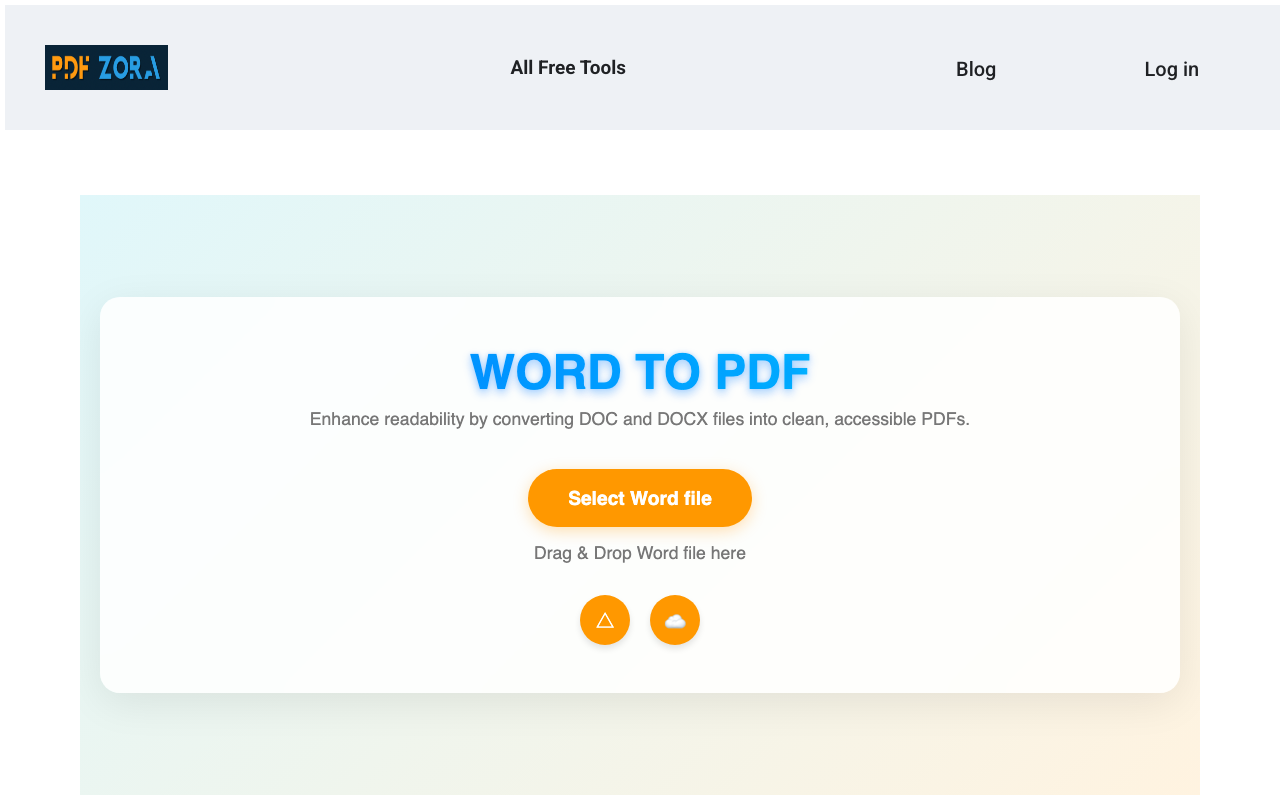
Upload your Word file
Click the "Select Word File" button or drag and drop your DOC or DOCX files into the upload box.
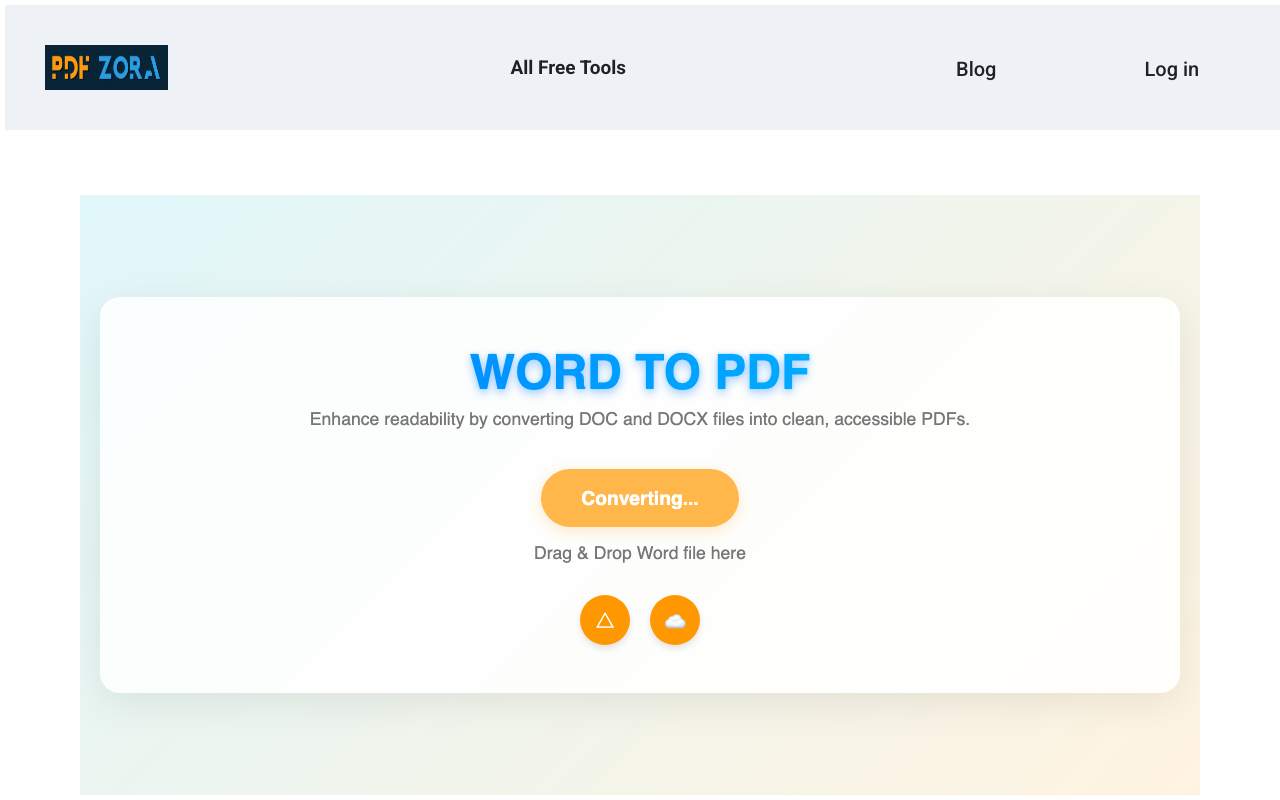
Automatic Conversion
Our intelligent engine converts your Word doc to PDF while keeping all fonts, images, and layout intact.
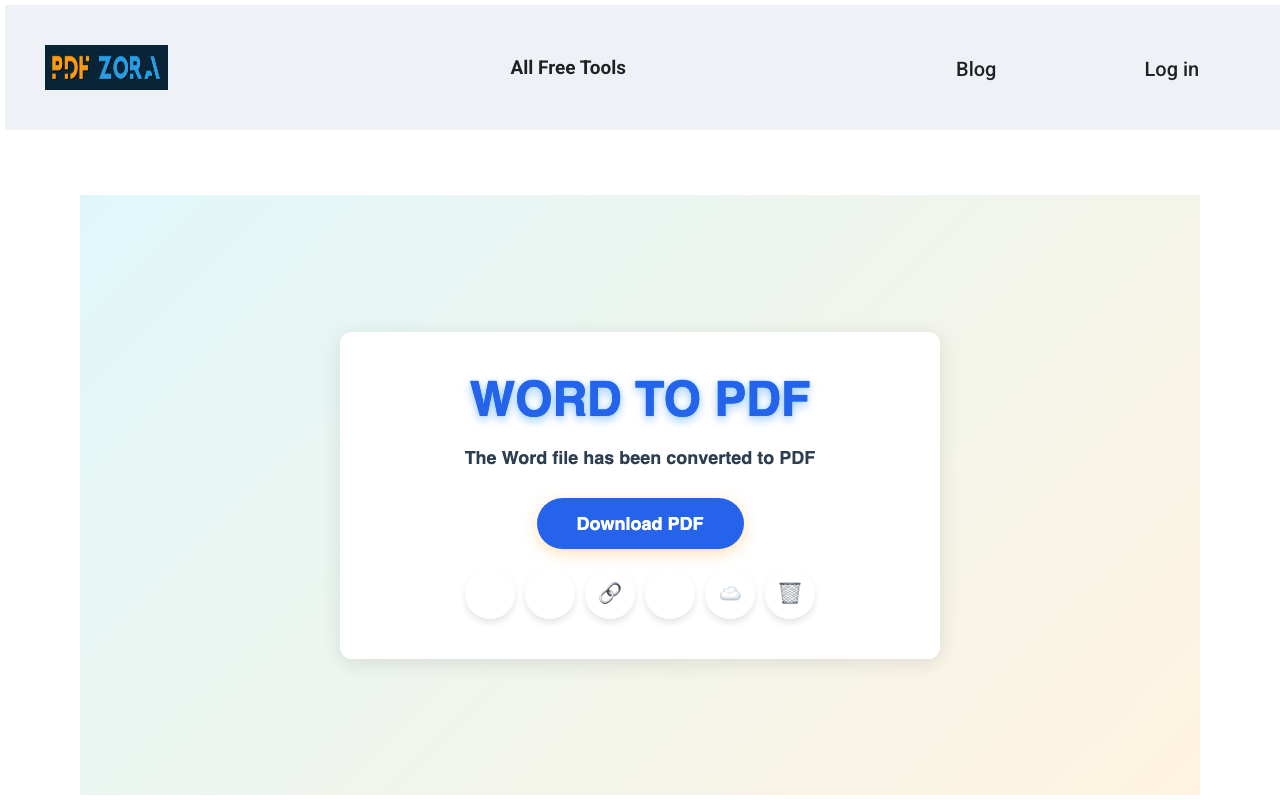
Download your PDF
Once finished, instantly save your new, high-quality PDF document to your device.
Supported Formats
We support all standard Word document formats to ensure maximum compatibility:
- Input Formats: DOC, DOCX, ODT, RTF, TXT.
- Output Format: High-quality, standard PDF documents (v1.7).
Why Use Word to PDF on PDFZora?
PDFZora offers a premium conversion experience without the premium price tag. Unlike basic converters, our Word to PDF tool is engineered for:
- Formatting Preservation: We ensure headings, bullets, and tables stay exactly where you put them.
- Universal Compatibility: Your created PDF will look professional on any smartphone, tablet, or computer.
- Security: Prevent accidental edits and changes to your important contracts and resumes.
Key Features
- Batch Processing: Convert multiple Word documents at once to save time.
- 100% Free: No daily limits, no watermarks, and no hidden costs.
- Cross-Platform: Works seamlessly on Windows, Mac, Linux, iOS, and Android.
- Privacy First: TLS encryption ensures your documents are safe during transfer.
Word to PDF Online vs. Offline Software
Why clutter your computer with heavy software when you can do it online?
| Feature | PDFZora Online | Offline Software |
|---|---|---|
| Cost | 100% Free | Expensive Licenses |
| Installation | None | Required |
| Accessibility | Any Device | Single Device |
Why Online Tools Are Better for Most Users
Online tools like PDFZora remove the friction from file conversion. You don't need to worry about updates, compatibility, or disk space. Just open your browser, upload, and you're done. It's the modern way to manage documents.
Is It Safe to Use Online Tools?
Yes, absolutely. We use enterprise-grade security measures to ensure your data is handling with the utmost care. Using an online converter is as safe as checking your email or banking online.
Security & Protection
Your privacy is our top priority:
- SSL Encryption: All data transfers are encrypted via 256-bit SSL.
- Auto-Deletion: Files are automatically deleted from our servers after 60 minutes.
- No Access: No human ever views your documents; the process is fully automated.
Common Use Cases for Word to PDF
- Job Applications: Convert your resume to PDF so that recruiters see exactly what you designed.
- Legal Documents: Send contracts and agreements in a format that cannot be easily altered.
- Academic Submissions: Ensure your thesis or assignment formatting remains stable when emailed to professors.
Supported Devices and Browsers
PDFZora works seamlessly on:
- Operating Systems: Windows, macOS, Linux, iOS, Android.
- Browsers: Chrome, Safari, Firefox, Edge, Opera.
Frequently Asked Questions
Simply upload your Word document (.doc or .docx) to the simplified box above. The tool will automatically convert it to a PDF file that you can download instantly.
Yes! Our advanced conversion engine preserves your fonts, images, tables, and layout exactly as they appear in the Word document.
Absolutely. We support both the older .doc format and the modern .docx format used by recent versions of Microsoft Word.
Yes, PDFZora is 100% free. You can convert as many files as you need without any cost or registration.
Your security is our priority. We use SSL encryption for file transfers, and all uploaded files are permanently deleted from our servers after 60 minutes.
Yes, our tool is fully responsive and works perfectly on iPhones, Android phones, and tablets with no app installation required.
We support file sizes up to 50MB, which is sufficient for even very large Word documents with many images.
You can use our PDF to Word tool to convert your PDF files back to editable Word documents.
Explore More Tools
PDF to Word
Convert PDF files back to editable Microsoft Word DOCX documents.
PDF to Powerpoint
Turn your PDF content into editable PowerPoint presentation slides.
Excel to PDF
Convert Excel spreadsheets to PDF documents.
JPG to PDF
Convert JPG images to PDF format.
Compress PDF
Reduce the file size of your PDFs without losing quality.
Merge PDF
Combine multiple PDF files into one single document.
Ready to Convert Your Word Docs to PDF?
Join thousands of users who trust PDFZora for fast, free, and secure document conversion. No registration required.
Convert Word to PDF Now