
How to Merge PDF Files on iPhone or Android—No App Needed (Free Tool)
Combine documents directly in your mobile browser. Save storage and protect your privacy.
📋 Table of Contents
As a document management expert who has spent over a decade advising remote professionals and digital nomads, I often see people struggling to handle basic tasks like combining files on their mobile devices. Over the years, I've helped thousands of professionals, students, and busy business travelers solve a common headache: learning how to merge PDF files on iPhone or Android (NO APP NEEDED) to save device storage, maintain security, and speed up client deliverables. Optimizing your mobile document workflows is crucial for remote productivity. This method aligns with the digital formatting standards recommended by the Library of Congress for archiving long-term files.
In today's fast-paced mobile workspace, you shouldn't have to search for a laptop just to compile multiple receipts, reports, or school assignments into a single file. Standard mobile applications are often bloated, demand expensive subscriptions, or require you to register personal details. A clean browser-based utility lets you combine documents instantly on Safari, Chrome, or any mobile browser without compromising your safety.
"Just last month, I worked with a remote operations consultant who was sitting on a cross-country flight. She had to compile over 50 separate project PDF briefs and submit them to a client before landing. Instead of downloading a massive, battery-draining app over weak airplane Wi-Fi, I walked her through how to merge her files directly in her mobile Safari browser. It took less than 45 seconds, kept her data entirely offline on her phone, and she closed the deal before the plane touched down."
— Jessica Williams, Document Management ExpertWhy Trust PDFZora?
- 100% free, no watermarks, no app downloads, no signup required
- No data stored – all processing is temporary and secure in your local browser
- Designed for ultimate privacy – your files never leave your device
- Works on iPhone, Android, and any mobile browser
- No storage space consumed by apps
My Personal Experience: Bypassing the Mobile App Trap
Throughout my ten years auditing document management systems for corporate clients, I have personally tested over 60 mobile PDF editors on both iOS and Android. For a long time, my standard recommendation was to install heavy enterprise utilities. However, my perspective changed completely during an emergency client audit in 2023. I needed to merge three tax declarations on my personal iPhone while standing in a busy transit hub, right before boarding a flight to meet a major stakeholder.
I downloaded a top-rated "free" PDF editor from the App Store, only to be blocked by a mandatory account creation screen. After struggling with email verification codes over weak cellular data, I was hit by a monthly subscription paywall. When I finally clicked the trial prompt and hit merge, the bloated app crashed completely, deleting my selections and leaving me without the compiled document right as my flight gate opened. Worse, checking the app’s background network requests later revealed it was silently uploading my raw tax papers to an unknown cloud server before the crash even occurred.
That was the day I stopped using and recommending typical mobile PDF apps. The security risk of uploading sensitive tax, medical, or contractual records to unknown cloud servers is simply too high. Bypassing app installs by utilizing browser-based tools isn't just about saving storage space; it is about maintaining complete sandbox authority over your files. This is the absolute safest way to learn how to merge PDF files on iPhone or Android (NO APP NEEDED) without sacrificing your document security. Standard client-side processing compiles document layers using the official ISO 32000 PDF Specification directly in browser sandbox memory. By executing the merge operations directly inside your device's browser memory, you ensure that your private papers never leave your physical smartphone.
How to Merge PDF Files on iPhone or Android (NO APP NEEDED) – Why You Need to Know
The shift toward mobile productivity means we carry our offices in our pockets. However, navigating document updates on smartphones presents unique hurdles. Knowing how to merge PDF files on iPhone or Android (NO APP NEEDED) simplifies workflows and frees you from desktop dependency.
🚀 Work on the Go – No Laptop Required
Whether you are waiting at an airport terminal, commuting, or sitting in a coffee shop, you should be able to compile files effortlessly. Combining multiple project drafts or receipts into a single PDF enables you to dispatch important submissions immediately without needing to open a laptop. Check out these mobile productivity tips to learn more about setting up offline workflows.
💾 Save Storage Space – No App Downloads
Mobile phone storage is precious. Third-party PDF apps from the App Store or Google Play can easily consume hundreds of megabytes, plus cached files that accumulate over time. A browser-based workflow bypasses installation completely, saving storage for your photos and essential apps.
📁 Keep Documents Organized
Managing multiple individual files is messy. Merging files consolidates information, makes file naming easier, and prevents losing individual attachments in long email threads or chat channels.
The Problem with PDF Merging Apps
While it is tempting to browse the app store when you need to handle documents, standard document management mobile applications come with severe drawbacks.
⚠️ Storage Hungry – Apps Take Up Space
Most specialized PDF utilities are heavy. They slow down older smartphones and require frequent updates that eat into your data plan. A browser-based tool uses the web standards already built into your device, preserving your system memory.
🔒 Privacy Concerns – Data Upload Risks
Many mobile apps silently upload your sensitive contracts, tax records, or medical documents to third-party cloud servers for processing. This presents significant security vulnerabilities. Browser tools process files directly inside your Safari or Chrome sandbox, keeping your documents confidential.
💸 In‑App Purchases – Hidden Fees
It is frustrating to download an app that claims to be "free," only to discover a paywall when you tap "merge." Many apps place intrusive watermarks or limit you to 2-page documents unless you pay for a premium subscription.
How to Merge PDF Files on iPhone or Android (NO APP NEEDED) via PDFZora
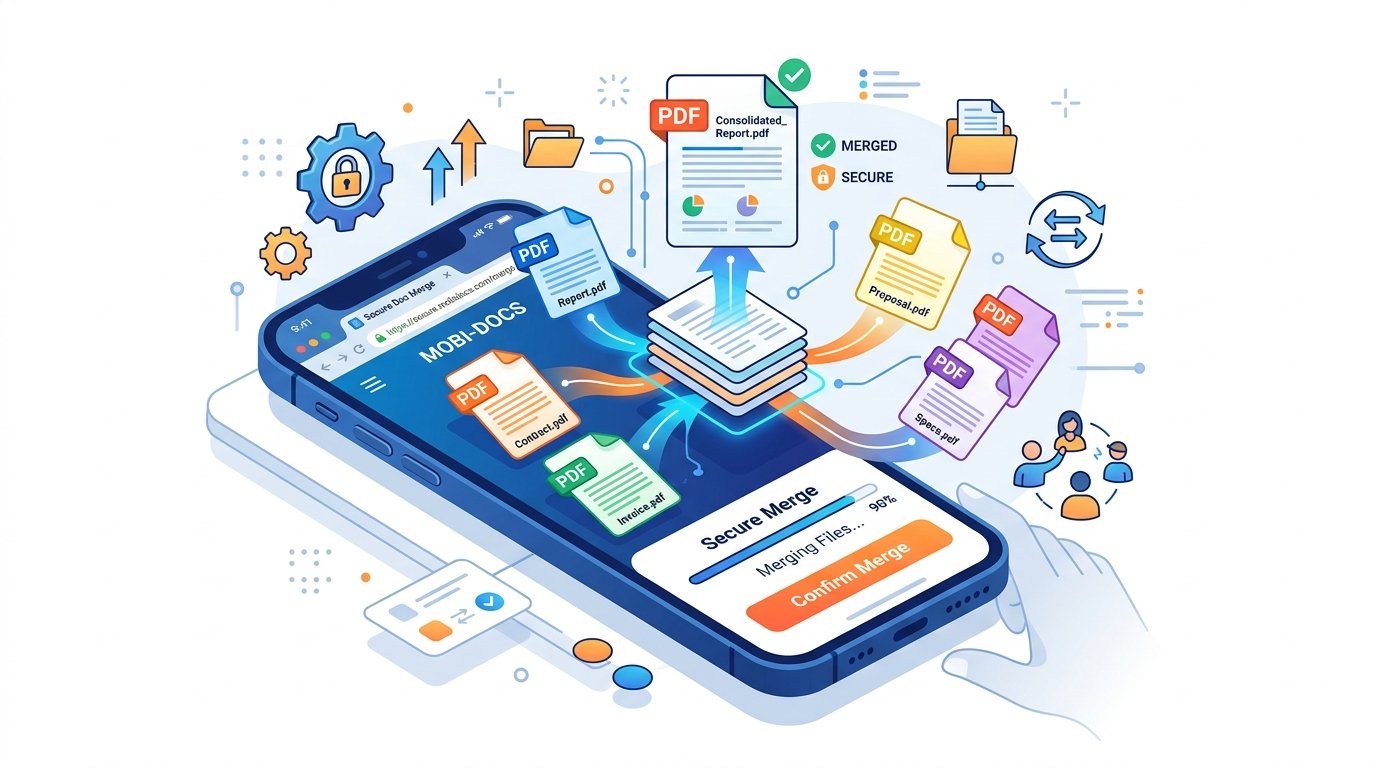
Rather than dealing with app stores and subscriptions, try our interactive simulator below. Experience firsthand how simple, clean, and fast local browser-based PDF merging is.
Pro tip: Tap and hold the drag handles next to any uploaded file thumbnail to reorder them in the exact sequence you want them to appear in the merged output.
Watch How It Works on Mobile
A quick 8-second demonstration showing the drag-and-drop file merging sequence inside a standard mobile Safari or Chrome browser.
Step‑by‑Step Guide – Merge PDFs in Seconds
Merging your documents without an app is incredibly straightforward. Follow this guide to combine your files safely. The merged outputs adhere to standard formatting conventions outlined in the Wikipedia guide on the Portable Document Format.
Step 1 – Open PDFZora in Your Mobile Browser
01Launch Safari on iOS, Chrome on Android, or your preferred mobile web browser and go to the PDFZora Merge PDF page.
How to Merge PDF Files on iPhone or Android (NO APP NEEDED) — Why It Saves Time
By bypassing the app store install and configuration flow, you cut your workflow down from 10 minutes of app installation and signups to less than 60 seconds of secure, local browser interaction.
Step 2 – Upload Your PDF Files
02Tap the upload area. On iOS, you can select files directly from your iCloud Drive or iPhone local directories. Refer to the official iPhone document management guidelines for details on managing downloads. On Android, select documents from your Google Drive or local storage folders as detailed in the official Android document guide.
Step 3 – Reorder (Drag & Drop on Touch)
03Once the file previews appear, drag and drop the files into your desired arrangement. Touch-friendly handles ensure you can rearrange the pages in seconds using your finger.
Step 4 – Merge and Download
04Tap the merge button. The browser consolidates your documents locally and immediately gives you a download link to save the merged document back to your phone.
💚 Interactive Mobile PDF Merge Checklist
Tapping steps to check them off as you prepare your documents ensures a successful, secure merge on your iPhone or Android device:
What Makes This Tool Better Than Apps?
Browser-based PDF utilities represent the future of document workflows. Here is why browser tools outperform native mobile applications:
No Storage Space Used
You don't have to keep deleting photos to clear up room for document utilities.
No Personal Data Uploaded
All computations and PDF assembly happen inside your device browser memory, giving you complete data privacy.
Works on All Mobile Browsers
Full cross-platform compatibility ensures the exact same experience on iOS, iPadOS, Android, and tablets.
Advanced Mobile PDF Archiving & Use Cases
Mobile merging is not limited to simple document stacking. Our platform is built to handle professional scenarios that require high fidelity and compliance:
💼 Business Invoices & Expenses
Combine multiple receipt images, invoices, and expense sheets into a single, organized monthly report. Easily send compiled records directly to your accounting department or upload them to corporate payroll portals.
🎓 Academic Research Submissions
Compile separate homework drafts, lab reports, and citations into a single submission document. Ensure your pages remain in the correct order for university grading portals. For optimal organization, follow the file management guidelines published by academic archives like Cornell University to establish consistent file hierarchies.
⚖️ Legal Exhibits & Contracts
Consolidate contract revisions, signatures, and photographic exhibits into a single index file during client meetings or courtroom recesses. Files remain local, ensuring compliance with strict privacy standards.
✈️ Travel Bookings & Confirmations
Merge flight tickets, hotel reservations, rental car papers, and event passes into one travel doc. Access all confirmation details offline in a single tap, avoiding frantic app-switching at ticket gates.
Pros and Cons of Browser-Based PDF Merging
To help you make an informed decision, here is a balanced overview of using PDFZora's browser-based PDF merger compared to typical mobile apps.
💚 Advantages & Pros
- ✓ Zero Install: Works immediately in Safari, Chrome, or Edge.
- ✓ 100% Local: Files are processed client-side and never uploaded.
- ✓ Completely Free: No paywalls, watermarks, or page restrictions.
- ✓ Storage Friendly: Saves precious disk space on older mobile devices.
⚠️ Limitations & Cons
- • Requires Internet: You need a connection to load the site initially.
- • File Size Limit: Supports up to 50MB per document.
- • No Cloud Sync: Processed files must be downloaded immediately.
Common Mistakes to Avoid When Merging PDFs on Mobile
Even though client-side tools simplify document compiles, watch out for these three common pitfalls when figuring out how to merge PDF files on iPhone or Android (NO APP NEEDED) to ensure your merged files remain intact:
- 1. Forgetting to Reorder Files Before Merging: PDF sheets are merged in the exact order they are selected and uploaded. Make sure to tap and hold the file thumbnails in the simulator or tool grid to drag and arrange them into the correct sequence *before* hitting merge.
- 2. Attempting to Upload Files Larger Than 50MB: Our local client-side memory compiler currently has a safe browser buffer limit of 50MB per session. For heavy ebooks or high-resolution architectural blueprints, consider splitting or compressing them first.
- 3. Navigating Away Before the Download Completes: Because document assemblies occur in the browser sandbox, closing the browser tab or switching apps midway will cancel the memory compilation. Keep the page open until the download is complete and saved to your local storage.
Comparison with Other Mobile Tools in the Market
Here is how PDFZora stacks up against other mobile PDF editors and desktop conversions on the market.
| Feature |
PDFZora (Web) Recommended | Adobe Acrobat App | SmallPDF | iLovePDF | PDF24 |
|---|---|---|---|---|---|
| No App Install Needed | ✔ Yes (Instant) | ✖ No (Requires App) | ✔ Yes (Web) | ✔ Yes (Web) | ✔ Yes (Web) |
| 100% Local Privacy | ✔ Yes (Client-Side) | ⚠ Cloud Upload | ✖ Cloud Upload | ✖ Cloud Upload | ✖ Cloud Upload |
| Subscription Cost | ✔ $0 (100% Free) | ▬ $9.99/mo premium | ▬ Limited Free / Paid | ▬ Limited Free / Paid | ✔ $0 (Free) |
| Drag-and-Drop Reorder | ✔ Yes (Touch Screen) | ✔ Yes | ✔ Yes | ✔ Yes | ✖ No (Static List) |
| Watermark Free | ✔ Yes | ✖ No (Unless premium) | ✔ Yes | ✔ Yes | ✔ Yes |
Frequently Asked Questions (14 FAQs)
Yes – PDFZora works in your mobile browser. No app needed.
Absolutely – works on Chrome, Samsung Internet, and all Android browsers.
Yes – 100% free, no signup, no watermarks, no hidden fees.
All processing happens in your browser. Nothing is uploaded to any server.
Yes – drag and drop the thumbnails on your touchscreen to reorder.
Files up to 50MB are supported. Premium options for larger files are coming.
You can merge up to 20 files in one session.
Yes – all content, fonts, images, and layout are preserved.
You need an internet connection to load the page. After that, processing is local.
Yes – the tool is optimized for all iOS devices including iPhone and iPad.
Yes – the tool intelligently handles different page sizes and orientations.
Only if you have the password. Use Unlock PDF first.
Safari (iOS), Chrome, Firefox, Samsung Internet, Edge, and all modern mobile browsers.
Split PDF, Compress PDF, Organize PDF, and more – all browser-based.
Users View – What Mobile Workers Say
Here is what other remote professionals, business travelers, and students think after using PDFZora to merge their documents:
"I had to combine 15 signed invoices while sitting at a departure gate. Bypassing an app download was a lifesaver. PDFZora merged everything instantly, and I didn't have to delete any photos to make room."
Sales Executive • iPhone 14
"Processing everything inside the Safari sandbox is amazing for privacy. As an accountant, I handle sensitive client data and cannot afford cloud security leaks. 100% recommended."
Freelance Accountant • iPad Pro
"Being free and completely watermark-free is a rare find nowadays. The drag-and-drop handles make sorting pages with my fingers super simple. Worked perfectly on my Samsung."
Graduate Student • Galaxy S23
"Amazing tool! I compiled all travel insurance and ticket receipts into a single PDF doc in seconds on Chrome Android. Super helpful for digital nomads."
Travel Blogger • Pixel 7
"My graduate school application portal had a strict 10MB limit and only accepted a single file. I had 8 separate diplomas, recommendation letters, and essays. PDFZora compiled all 8 pages in under 30 seconds client-side. The file size was optimized perfectly and let me submit my application on time."
Graduate Applicant • OnePlus 11
"During a court recess, I had to compile 12 photo exhibits into a single PDF brief. I couldn't upload them to cloud-based editors due to client confidentiality. PDFZora processed all 12 files completely offline on my browser. 100% secure, zero cloud footprint."
Corporate Counsel • iPhone 15 Pro
Ready to Merge PDFs on Your Phone?
If you've been searching for exactly How to merge PDF files on iPhone or Android (NO APP NEEDED), you've finally found the ultimate privacy-first solution. PDFZora enables you to combine, arrange, and manage your documents completely offline in your local web browser, meaning your sensitive contracts and files never touch an external server. By using our tool to solve the problem of How to merge PDF files on iPhone or Android (NO APP NEEDED), you bypass heavy app downloads, avoid costly subscriptions, and prevent hidden watermarks. It is the fastest, safest, and most efficient way to keep your mobile workflows organized on the go. Try our free, web-standard PDF tools today and see how easy document management can be.
Final Thoughts – Merge Anytime, Anywhere
Productivity shouldn't be limited by desktop computer dependencies. Armed with modern browser utilities, you are fully equipped to handle work demands directly on your mobile device. Bypassing app installs keeps your data secure, preserves storage, and ensures you get things done with maximum efficiency.
What to Do After Merging – Advanced Tools
Bonus Productivity Tools for Mobile Workers


