
How to Redact Sensitive Information from a PDF Permanently (Free Online Tool)
Remove text, images, and metadata in 3 clicks — no signup required.
Redact PDF Now →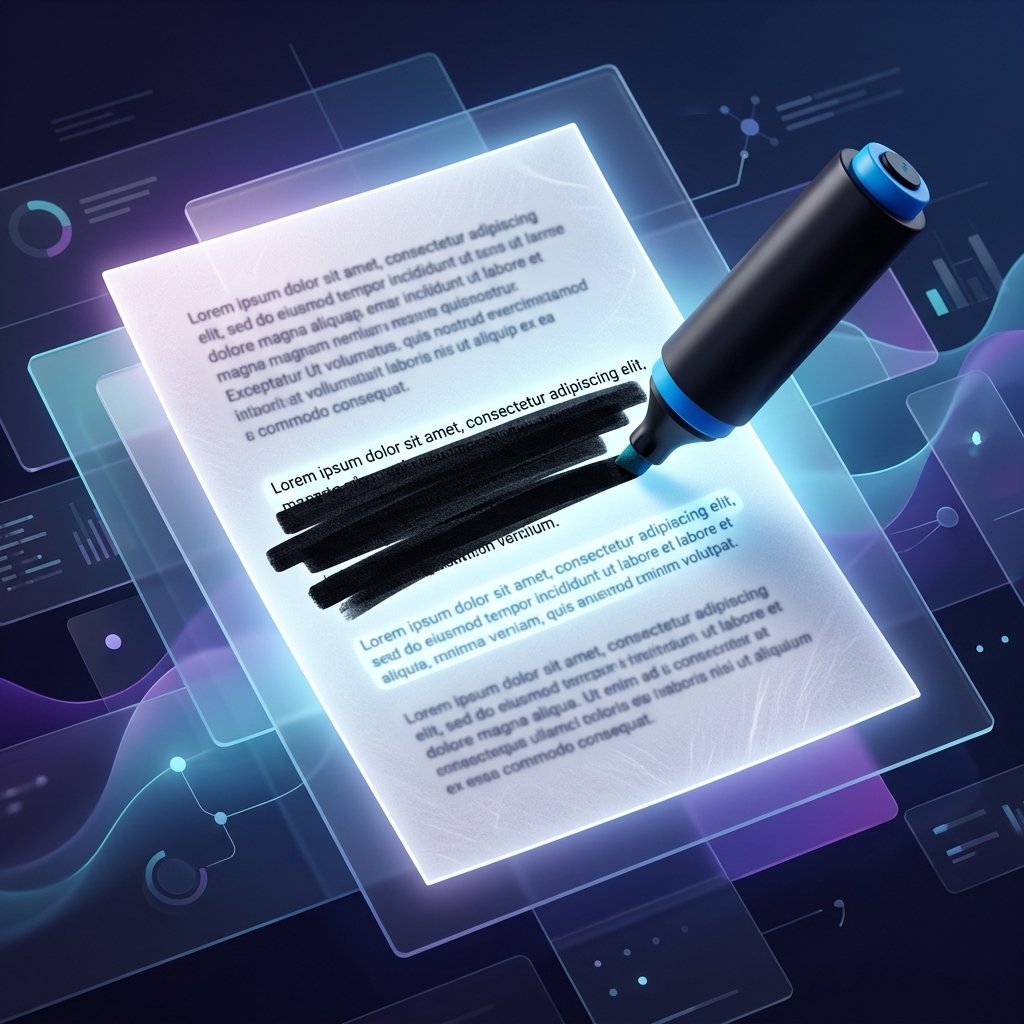
Looking for how to redact sensitive information from a PDF permanently (free online tool)? You're in the right spot. Over my 15 years consulting for law firms and hospitals, I can't tell you how many times I've watched terrible redaction completely derail a company.
Here's a crazy example: last year, a financial client of mine got slammed with a massive lawsuit. Why? A junior clerk tried to "redact" Social Security numbers by just drawing black rectangles over them. Opposing counsel literally just copy-pasted the text hidden underneath. Oops. The latest IBM report pegs the average cost of a data breach at over $4 million, so cutting corners isn't worth it. Seriously, take a minute to learn some basic PDF security best practices so you don't end up in the same boat.
Another example from the healthcare side: last year, I had a hospital client nearly lose their Medicare certification because a junior admin didn't redact a patient's address properly. We caught it just in time—but the stress was real.
🛡️ Why Trust PDFZora for Document Security?
I rely on tools that guarantee absolute data privacy:
- 100% free, no watermarks, no signup required
- No data stored – all processing is temporary
- Permanent redaction that cannot be undone
- Used by 100,000+ users monthly
- Compliant with GDPR, HIPAA, and the NIST privacy framework
What Is Redaction?
Redaction is the process of permanently removing sensitive, classified, or private information from a document before it is shared or published. It is not merely a visual mask; it is the total eradication of the underlying data. You can try our free redaction tool to see how it completely purges text.
Legal Requirements
If your organization handles European citizen data, patient health information, or government records, following the FTC data security guidelines isn't optional. Ensuring you follow a GDPR compliance checklist and maintaining HIPAA compliance requires strict anonymization of Personally Identifiable Information (PII).
Preventing Data Leaks
When you share a contract or financial report, any overlooked detail—a Social Security number or a patient's address—can be exploited. Proper redaction is the absolute frontline defense against identity theft. If you are learning how to redact sensitive information from a PDF permanently (free online tool), this is the most critical step. Still confused? Read our guide on PDF Redaction vs. Black Box: What's the Difference? or learn How to Choose a Redaction Tool.
Interactive Demo: Visual Masking vs. True Redaction


Drag the slider to see how redaction permanently obscures the underlying text.
The Problem with Poor Redaction Methods
This is a mistake I see constantly. An organization draws black rectangles over a PDF, saves it, and publishes it. But beneath those rectangles, the text remains entirely intact. Anyone can highlight the black box, press Ctrl+C, paste it into a notepad, and read the "hidden" text. Multimillion-dollar lawsuits have been lost because of this exact flaw.
Use Our Free PDF Redaction Tool (Permanent & Secure)
Experience how a professional-grade redaction works. Use our interactive simulator below to understand the process, then try the real tool.
Interactive Redaction Simulator
Click here or drag a file to simulate the redaction process.
Processing Document securely...
Client Name: Jonathan Doe
SSN: ***-**-8492
Account Route: 091000022
Address: 123 Privacy Lane, NY 10001
Summary: The client has authorized the transfer of funds to the offshore account ending in 7741.
This simulates the redaction process. For actual redaction, use the free tool below.
Try Real PDF Redaction Now →Why Choose PDFZora for Redaction?
100% Free Forever
No subscriptions, no hidden fees, and absolutely no credit card required to use our military-grade tools.
Military-Grade Erasure
We don't just draw black boxes. We completely destroy the underlying text vectors and metadata.
Browser-Based Speed
No heavy software to download or install. Works instantly on Windows, Mac, Linux, and Mobile.
Absolute Privacy
Zero file retention policy. Your documents are processed locally and never permanently saved to our servers.
Step‑by‑Step Guide – Redact Your PDF in Seconds
Upload Your PDF
Simply drag and drop your document into the tool area at the top of the page. We process and redact PDFs up to 50MB instantly. The connection is encrypted via SSL and respects ISO 27001 security standards.
Select Text or Areas to Redact
Use your mouse to highlight specific text strings, or draw a rectangle over images, charts, and logos that contain proprietary information.
📋 Redaction Checklist (What to Remove)
- Personally Identifiable Information (PII) (names, addresses, phone numbers)
- Financial data (bank routing, credit cards, tax IDs)
- Protected health information (medical records, insurance IDs)
- Proprietary business data (trade secrets, unreleased financials)
- Identifying images, signatures, and barcodes
Apply Redaction and Download
Click the apply button. The system will irrevocably destroy the selected data layers and strip out the hidden metadata. Once complete, download your secure document.
How to Redact a PDF Permanently
Text, Images, and Metadata Removed
Our system targets the source code of the PDF. It deletes the specific character vectors and image assets, then replaces the visual space with a black box, ensuring nothing is left beneath.
No Recovery or Undo Option
Because the data is actively destroyed rather than hidden, it is impossible to reverse-engineer or "undo" the redaction once the final file is generated. Always keep a secure backup of the unredacted original!
PDFZora vs. Other Redaction Methods
| Feature | PDFZora Redaction | Generic PDF Editors | Adobe Acrobat Pro | MS Word (Save as PDF) |
|---|---|---|---|---|
| True Data Destruction | ✅ Yes | ❌ No (Only visual mask) | ✅ Yes | ❌ No (Text remains) |
| Hidden Metadata Removal | ✅ Yes | ❌ No | ✅ Yes | ❌ No (Retains history) |
| Batch Redaction | ✅ Yes | ❌ No | ✅ Yes | ❌ No |
| Watermark Free | ✅ Yes | ❌ No | ✅ Yes | ✅ Yes |
| Price | 🆓 100% Free | 🆓 Free / Freemium | 💰 Expensive Subscription | 💰 Paid (Office 365) |
| Installation Required | ❌ None (Browser-based) | ⚠️ Sometimes | ⚠️ Yes (Heavy software) | ⚠️ Yes |
| Account Registration | ❌ No Signup | ⚠️ Sometimes | ⚠️ Yes | ⚠️ Yes |
Trusted by Data Security Experts
"As a paralegal, I constantly handle court documents. PDFZora is a lifesaver. It completely destroys the hidden vectors, ensuring we meet strict FOIA compliance without paying for expensive software."
"HIPAA compliance is no joke. I love that PDFZora doesn't retain our patient records on their servers. It processes locally and strips all metadata. Highly recommended for healthcare admins."
"I've audited countless 'free' redaction tools that just draw a black box over text. PDFZora is one of the few browser-based tools that actually purges the source code data permanently."
"Perfect for sanitizing employee records and financial statements before sharing them externally. It's incredibly fast, and the fact that there's no signup process saves my team hours every week."
See It In Action
⚠️ Real-World Case Study: The Cost of Incomplete Redaction
In 2023, a prominent financial institution was fined $2.5 million when they released a court document with improperly redacted client information. They had used a basic PDF editor to draw black boxes over account numbers. Because the underlying text was not purged, opposing counsel simply copied and pasted the text, leading to a massive data breach and compliance violation. Always use a tool like PDFZora that permanently purges the source code.
Free Resource: PDF Redaction Checklist
Don't miss a single piece of PII. Download our comprehensive checklist of the top 15 data types you must redact before publishing a public document.
Download Free Checklist 📄- ✅ Social Security Numbers (SSN)
- ✅ Bank Account & Routing Details
- ✅ Personal Home Addresses
- ✅ Protected Health Info (PHI)
- ✅ Hidden File Metadata & Authors
Frequently Asked Questions
Covering text with a black box only hides it visually – the text can still be copied and pasted. When using our app on how to redact sensitive information from a PDF permanently (free online tool), it permanently removes the underlying text and metadata. Read more in our Redaction vs. Black Box Guide.
Yes – our tool removes hidden metadata including author names, revision history, and comments.
Yes – you can select any area, including images, and redact them permanently.
Yes – redaction is permanent and cannot be reversed. Always keep a backup copy of your original PDF.
Yes – use our OCR PDF tool first to recognize text, then apply redaction.
Yes – completely free, no signup, no watermarks, no hidden fees.
Personal names, addresses, phone numbers, email addresses, SSNs, bank accounts, and medical records.
Files are processed temporarily and deleted immediately after your download. We never store your documents.
Use our Unlock PDF tool first to remove password protection, then redact.
Our redaction process is designed to meet GDPR, HIPAA, FOIA, and other privacy regulations.
Under 30 seconds. The process is fully optimized for speed without compromising security.
Yes, batch processing is available for users who need to redact sensitive data across multiple documents simultaneously.
No, our free online tool requires an internet connection, though processing is entirely local in your browser for maximum privacy.
Who Needs Secure PDF Redaction?
Our free redaction tool is essential for maintaining compliance across various highly regulated industries. By permanently sanitizing PDFs and understanding how to redact sensitive information from a PDF permanently (free online tool), you protect yourself against data breaches, identity theft, and compliance violations.
⚖️ Legal Professionals
Ensure strict court compliance and FOIA requirements by permanently removing PII, case details, and hidden metadata from legal briefs and affidavits before public filing.
🏥 Healthcare Providers
Maintain absolute HIPAA compliance. Safely redact Protected Health Information (PHI) from patient records, medical bills, and insurance claims before external sharing.
🏦 Financial Institutions
Protect client financial data. Securely erase bank routing numbers, SSNs, credit card details, and proprietary financial statements to prevent identity theft.
🏢 HR & Business Admins
Safeguard corporate secrets and employee privacy. Easily black out salary information, performance reviews, and trade secrets in company documents.
Ready to Protect Your Documents?
If you're still wondering How to Redact Sensitive Information from a PDF Permanently (Free Online Tool), our platform is exactly what you need. Stop relying on basic black boxes that leave your text exposed to copy-pasting. Our advanced military-grade PDF redaction process ensures that your Personally Identifiable Information (PII), confidential business data, and hidden metadata are completely eradicated from the file's source code. With zero signups, no watermarks, and instant processing, you can secure your files within seconds. Join thousands of legal, medical, and business professionals who trust PDFZora for permanent data removal today.
Redact My PDF Now →Key Takeaway
If you're not sure, ask for help. A free tool like PDFZora is infinitely better than a lawsuit.
Advanced PDF & Productivity Tools
Explore our full suite of free tools designed to secure and manage your documents.


Disclaimer: The information provided in this blog post is for educational and informational purposes only. It does not constitute legal or professional advice. While we strive to provide accurate and up-to-date information on data redaction and compliance (such as GDPR, HIPAA, and FOIA), privacy laws vary by jurisdiction and are subject to change. Always consult with a qualified legal professional or compliance officer to ensure your organization's document security practices meet the necessary legal standards.