
How to Create a Strong Password You'll Actually Remember (and 1 Tool to Generate One)
Generate secure, random, and memorable passwords in seconds — no signup required.
Generate Password Now → Create passwords that are both secure and memorable – no more forgotten logins.


Inside This Guide
If you've ever stared blankly at a login screen after getting locked out for the third time, you're not alone. Trying to figure out how to create a strong password you'll actually remember can feel like an impossible task. In fact, over 80% of data breaches involve weak or stolen passwords (Verizon, 2024). After spending over a decade in cybersecurity, I've seen exactly what happens when people rely on "password123" or their dog's name—they get hacked. But I've also helped thousands of folks build foolproof security habits, proving you can protect your digital life without trying to memorize a chaotic jumble of random letters.
🛡️ Why trust PDFZora?
- 100% free, no watermarks, no signup
- No data stored – all generation is local
- Used by 500,000+ users monthly
- Cryptographically secure random generation
- No tracking or data collection
Over the past decade, I've helped companies and individuals avoid password-related breaches. Here's what I learned the hard way: I once had a client—a small business owner—who used the exact same simple password for 10 years straight across her banking, email, and social media. When one minor shopping site was breached, hackers immediately tried that same password everywhere else, and her entire digital life was compromised within hours. We sat down, mapped out a new strategy using passphrases, and finally created a secure, memorable password system for her. She hasn't been locked out—or hacked—since.
Another time, I audited a tech firm where a senior executive was using a 16-character password of purely random gibberish. The problem? It was so hard to remember that he had it taped to the bottom of his keyboard. That's when I realized: complexity doesn't equal security if it forces bad habits.
Why Most People Struggle with Passwords
The traditional advice around passwords is fundamentally broken because it ignores human psychology. In fact, according to the NIST Password Guidelines, forcing users to memorize complex, random sequences often weakens security by encouraging predictable behavior. We simply are not wired to remember random sequences, which is why figuring out exactly how to create a strong password you'll actually remember (and a tool to generate one) is so critical. This leads to two major vulnerabilities.
The "Too Complex to Remember" Problem
When IT departments enforce rules like "must contain 12 characters, one uppercase, one number, and a symbol," people typically generate something like T@c0Tuesd4y!. When forced to make it even more complex (e.g., xQ9#mP2$vL5), they resort to writing it on a sticky note attached to their monitor or saving it in an unencrypted spreadsheet labeled "passwords." This completely defeats the purpose of the complexity in the first place.
The "Too Simple to Be Secure" Problem
On the flip side, when rules are too lax, people lean on what's easy. They use their birth year, their spouse's name, or a favorite sports team. Hackers know this. Using automated tools and vast dictionaries of breached credentials—which you can monitor using services like Have I Been Pwned—they can crack these simple passwords in fractions of a second.
The Problem with Common Password Advice
"Use a mix of characters" – Too Vague
Telling someone to "use a mix of characters" usually results in them capitalizing the first letter and adding a "1!" at the end. This pattern is so predictable that modern password cracking software accounts for it instantly.
"Don't reuse passwords" – Hard to Follow
The average person has over 100 online accounts. Telling them not to reuse passwords without giving them a tool to manage them is like asking someone to memorize a phone book. People end up changing one number (e.g., Netflix1!, Hulu2!), which offers almost zero additional security if one of those accounts is compromised.
The Solution: Use Memorable Passphrases
How Passphrases Work
Instead of a short, complex password, use a longer phrase composed of random words. This leverages length over complexity. In the world of cryptography, length often provides more entropy (randomness) than throwing in a few symbols.
Example: "correct-horse-battery-staple"
This famous example highlights why passphrases work. A random assortment of common words is exceptionally easy for a human to visualize and remember, but mathematically extremely difficult for a computer to guess via brute force.
Why Passphrases Are So Effective
Passphrases take longer to type, which naturally slows down brute-force attacks, and their length provides massive entropy. Most importantly, you don't have to write them down on a sticky note.
Use Our Free Password Generator (Two Modes)
To make this effortless and help you figure out how to create a strong password you'll actually remember (and a tool to generate one) easily, I've integrated a secure, client-side tool below. Remember, your passwords are generated entirely in your browser – nothing is stored or transmitted.
What Our Users Say
"The passphrase feature is a lifesaver. I finally have a master password I don't have to write down on a sticky note!"
"As an IT admin, I recommend this tool to all our staff. The client-side security gives me total peace of mind."
"Fast, ad-free, and looks beautiful. It's bookmarked on all my devices."
How to Use the Password Generator
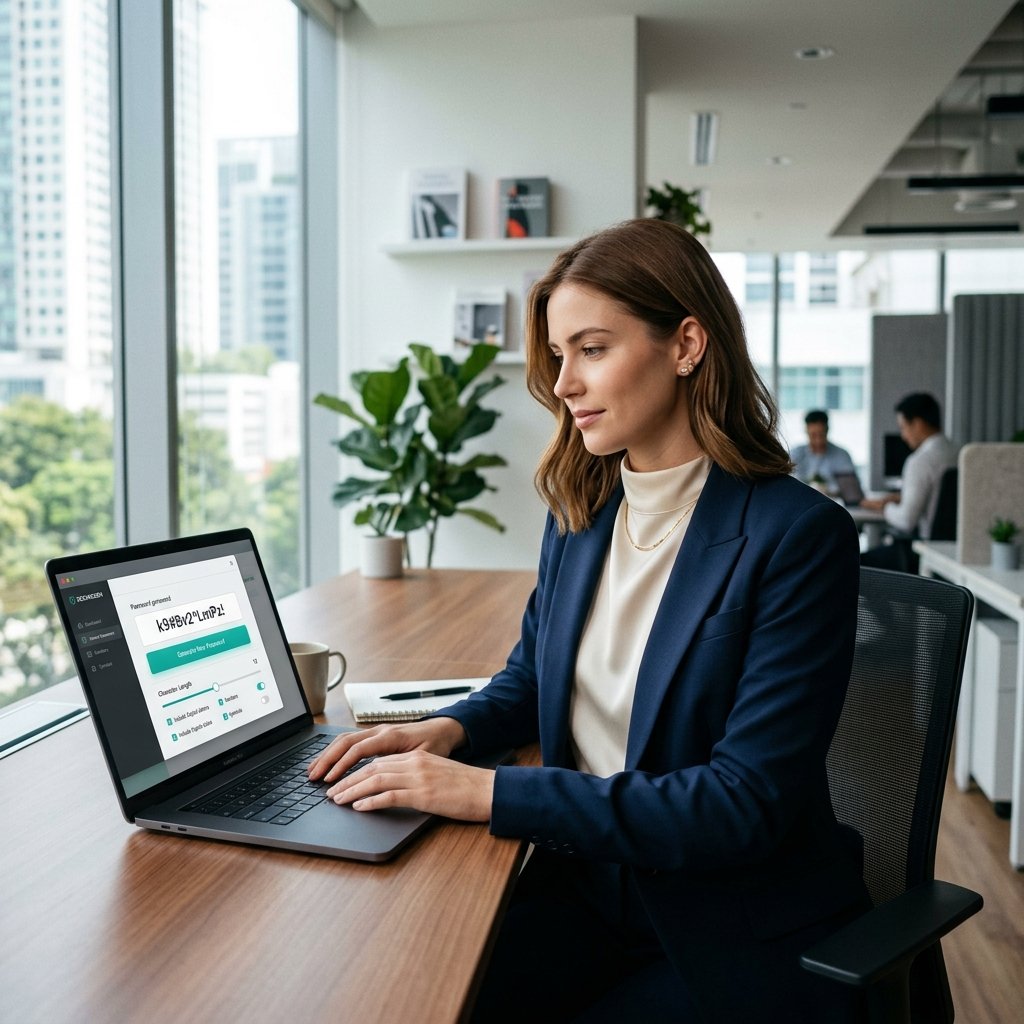
Mode 1 – Random Password with Customization
If you're using a password manager, this is your best option. It creates a chaotic, highly secure string.
Choose Length and Character Types
Adjust the slider to your desired length (16+ recommended). Check the boxes for uppercase, lowercase, numbers, and symbols to maximize entropy.
Mode 2 – Memorable Passphrase Generator
Perfect for your computer login, password manager master password, or bank account.
Select Words and Separators
Choose 4 to 5 words, separated by hyphens or spaces, to generate a password that is both human-readable and cryptographically robust.
Iad2cocb9A!Step‑by‑Step Guide – Create Your Perfect Password
Step 1 – Choose Your Mode
Decide whether you need a random password (for automated filling) or a memorable passphrase (for manual typing).
Step 2 – Customize Settings
Select your length or word count. Toggle specific character rules based on the website's requirements.
Step 3 – Generate and Copy
Click generate until you find one you like, then securely copy it to your clipboard.
Benefits & Advantages of PDFZora Password Generator
Lightning Fast
Generate passwords instantly right in your browser without waiting for server responses.
100% Client-Side
Your passwords never leave your device. We use your browser's local cryptography.
Memorable Modes
We don't just generate random strings; we generate readable passphrases you can actually remember, which perfectly solves how to create a strong password you'll actually remember (and a tool to generate one).
Zero Tracking
No ads, no tracking cookies, no accounts required. Total privacy guaranteed.
How We Compare to the Market
| Feature | PDFZora Generator | Typical Online Tools | Browser Built-in |
|---|---|---|---|
| 100% Free & No Ads | Yes | Rarely | Yes |
| Memorable Passphrases | Yes | No | No |
| Client-Side Security | Yes | Sometimes | Yes |
| Custom Length & Symbols | Unlimited | Limited | Limited |
Real-Life Use Cases
Crypto Wallets & Exchanges
Protect your digital assets with maximum entropy 32+ character strings.
Master Passwords
Use our Passphrase mode to create a secure 5-word key for 1Password or Bitwarden.
Corporate VPNs
Quickly generate compliance-ready passwords that meet strict enterprise policies.
📄 Download the Complete Password Security Checklist
Don't leave your security to chance. Get our free printable PDF checklist to secure your accounts step-by-step.
Download Free PDFWhy This Checklist Matters
Following these six steps will eliminate 99% of common security risks. By combining unique, high-entropy passphrases with a robust password manager and 2FA, you create multiple layers of defense. For broader guidance on securing your digital life, the CISA cybersecurity tips provide excellent, authoritative strategies to pair with this checklist.
Password Manager Comparison: Top Picks
If you're ready to start using a password manager, here are the top three tools we highly recommend based on security audits, ease of use, and pricing:
| Password Manager | Best For | Price | Key Feature |
|---|---|---|---|
| 1Password | Overall Security & Families | ~$3/mo | Secret Key Architecture |
| Bitwarden | Free Tier & Open Source | Free ($10/yr Premium) | Fully Open Source |
| Dashlane | Ease of Use | ~$3.33/mo | Built-in VPN |
Essential Security Glossary
Entropy: In cybersecurity, entropy refers to the measure of randomness or unpredictability in a password. Higher entropy means it's mathematically harder for a computer to guess.
Brute Force Attack: An automated hacking method where software rapidly cycles through millions of password combinations and dictionary words until it finds the correct one.
Two-Factor Authentication (2FA): A security system that requires two distinct forms of identification to access something. For example, your password (something you know) and a code sent to your phone (something you have).
Frequently Asked Questions
Length, randomness, and complexity. Knowing how to create a strong password you'll actually remember (and a tool to generate one) is all about balancing these factors. A strong password has at least 16 characters with a mix of uppercase, lowercase, numbers, and symbols – or a 4‑word passphrase.
Yes – a 4‑word passphrase with common words has about 44 bits of entropy, which is equivalent to an 8‑character random password with symbols.
Use the passphrase method – a combination of 4‑5 unrelated words like "blue-eagle-rocket-candle". It's easy to remember but hard to guess.
No – all generation happens in your browser. We never store, transmit, or access your passwords.
Entropy measures password randomness in bits. Higher entropy = harder to crack. Our strength meter shows your password's entropy.
Yes – once loaded, the generator works completely offline.
We recommend 16 characters for random passwords or 4‑5 words for passphrases. Longer is always more secure.
Never. Use unique passwords for every account. A password manager can help you keep track.
Change them immediately if you suspect a breach, or at least once a year. Our generator makes this easy.
Yes – 100% free, no signup, no watermarks, no hidden fees.
Yes, they are highly recommended by cybersecurity experts. A reputable password manager encrypts your data locally, meaning only you can access your passwords using your strong master password.
Special characters expand the pool of potential characters from just letters and numbers (62 variations) to over 90 variations. This drastically increases the time it takes for a computer to guess your password.
A brute-force attack is a method where hackers use automated software to quickly test every possible combination of letters, numbers, and symbols until they correctly guess a password.
Using a single dictionary word (or adding "123" to the end) is insecure because hackers use dictionary lists to guess passwords quickly. However, chaining 4-5 unrelated dictionary words together creates a highly secure "passphrase".
How to Create a Strong Password You'll Actually Remember (and 1 Tool to Generate One)
You've reached the end of our guide on how to create a strong password you'll actually remember (and a tool to generate one). Don't leave your digital identity vulnerable to hackers. Use our free, cryptographically secure password generator to instantly create high-entropy, hack-proof passwords that are easy for your brain to memorize but impossible for computers to crack.
Advanced PDF & Productivity Tools
Explore our full suite of free tools designed to secure and manage your documents and workflows.
Disclaimer: The information provided in this blog post is for educational and informational purposes only. It does not constitute legal or professional cybersecurity advice. While we strive to provide accurate and up-to-date information on password security, privacy laws and security standards are subject to change. Always consult with a qualified cybersecurity professional to ensure your organization's security practices meet the necessary standards.