
Split a PDF into Pages or Chapters Online – No Software
Are you wondering how to efficiently divide large documents? We have helped thousands of professionals, students, and business owners split PDFs efficiently without installing any software. In this guide, we'll show you exactly how to split a PDF into separate pages or chapters online — no software needed, directly in your browser.
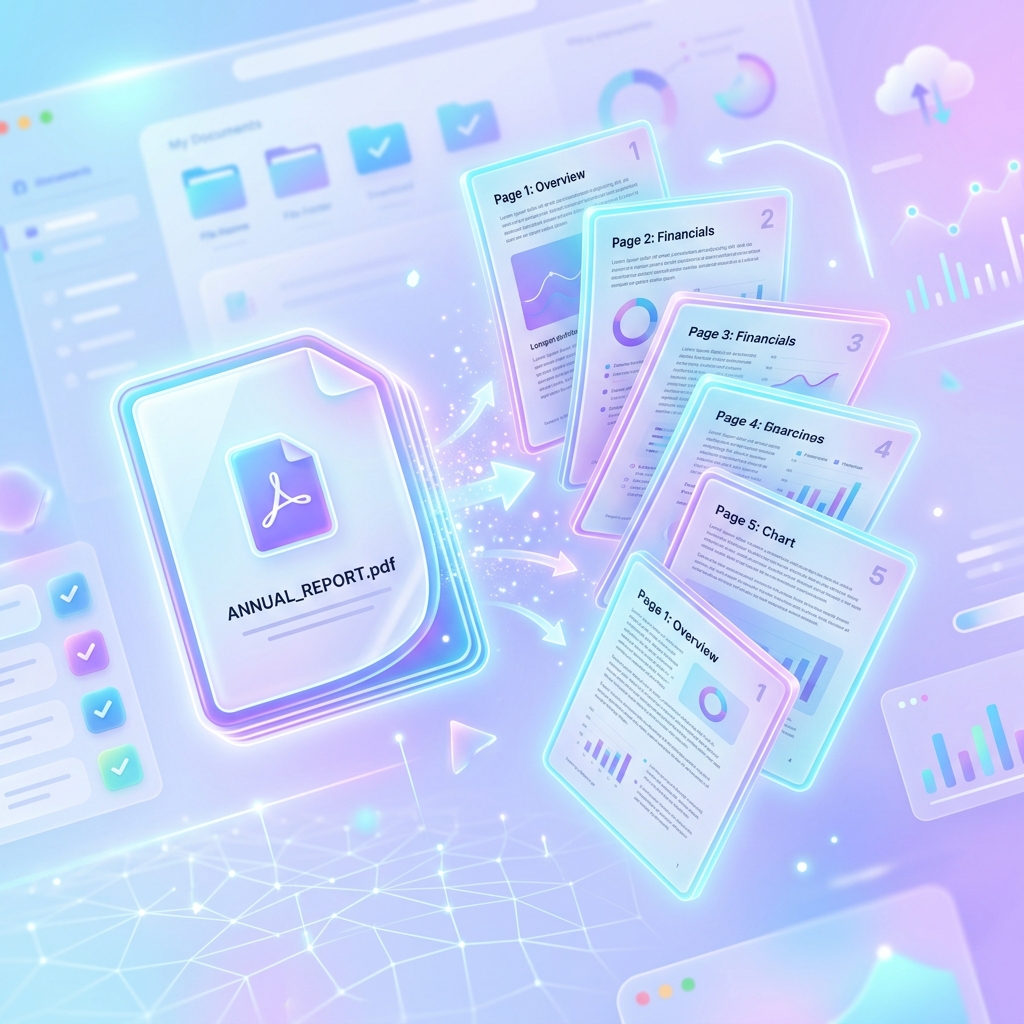
Skip the complex software and hidden fees. Seamlessly divide your documents instantly right in your browser with our 100% free, secure, and limitless PDF splitting tool.
Why Would You Need to Split a PDF?
Extract Single Pages for Email
Email providers often restrict attachment sizes. Splitting a 50-page report to extract just the one-page summary makes it instantly shareable. For official recommendations, you can refer to industry standards on email attachment limits to understand why keeping your file size small is so important.
Divide a Book or Report into Chapters
Large digital books or annual reports are difficult to navigate. By splitting them into chapters, you create manageable, focused documents for your team or readers, keeping your structure aligned with best practices recommended by the PDF Association.
Remove Unwanted Pages Before Sharing
Sometimes a document contains sensitive or irrelevant information. Extracting only the necessary pages ensures privacy and clarity when sharing with third parties.
The Problem with Desktop PDF Software
For years, users have been forced to rely on clunky, expensive desktop applications to perform basic tasks like splitting a document. Traditional PDF splitting software is often frustrating due to high recurring subscription costs and concerns about whether the outputs adhere properly to official ISO Standards for PDF. You shouldn't have to pay premium fees or risk your data just to separate a few pages.
Expensive Licenses
Most premium PDF editors require monthly subscriptions that are overkill for simple splitting tasks.
Installation Hassles
Downloading and installing heavy software takes time, eats up hard drive space, and often requires admin privileges.
Privacy Concerns
Many "free" online tools upload your private documents to their servers. This is a massive security risk for confidential data, a vulnerability frequently noted by organizations like NIST Document Forensics.
The Core Benefits of Using PDFZora’s Splitter
Imagine never having to struggle with clunky software again just to send a single page from a massive report. We built our PDF splitter with you in mind, focusing on the things that actually make your day-to-day life easier.
- Blazing Fast Local Processing: Unlike older tools that make you wait while your file uploads to a remote server, we harness the power of your own browser to split files instantly. It’s snappy, efficient, and zero-latency.
- 100% Free, Forever: Forget "freemium" models that hold your documents hostage behind a paywall right when you need to download them. Our splitter is genuinely free—no watermarks, no hidden limits.
- Intuitive and User-Friendly: You don't need a tech manual to figure it out. Just drag, drop, pick your pages, and you're done.
Who Can Benefit the Most From This Tool?
We designed this tool to be incredibly versatile, but we've noticed a few specific groups absolutely love using it:
- Students & Teachers: Need to extract just Chapter 4 of a 500-page digital textbook for an assignment? Now you can do it in seconds without printing the whole thing.
- Legal & Corporate Professionals: When dealing with massive case files or quarterly reports, separating out the executive summary or specific contract pages is a daily necessity.
- Freelancers & Creatives: Whether you're sending a one-page invoice pulled from a monthly ledger or extracting a specific design mockup to share with a client, this tool keeps your workflows lean and professional.
- Everyday Home Users: Trying to email your tax return but the file is too big? Split out just the signature pages and hit send.
Advanced Features Built for Power Users
While our tool is incredibly simple to use, we didn't skimp on the heavy-lifting capabilities. We've packed in some advanced, intelligent features that rival expensive desktop software:
- Smart Range Splitting: Don't just split page by page. You can define exact, complex ranges (like pages 1-5, 8, and 12-20) all in one go.
- Instant ZIP Archiving: If you split a 100-page document into 100 separate PDFs, we don't bombard you with a hundred individual pop-up downloads. Our tool neatly packages everything into a single, organized ZIP file.
- Format Preservation Guarantee: Fonts, hyperlinks, high-res images, and vector graphics remain completely untouched. Your output file will look exactly as pristine as your input file.
Step‑by‑Step Guide – Split Any PDF in Seconds
Step 1: Upload Your PDF
Drag & Drop or Select File
Using the tool above, simply drag your PDF file into the drop zone, or click the button to browse your device. Because it runs locally, the file loads instantly.
Step 2: Choose Your Split Method
Select whether you want to extract every single page into its own file, or specify custom ranges (like pages 1-3, and 5-10).
Step 3: Click Split and Download
Hit the "Split PDF" button. Our script will process the pages and instantly generate a ZIP file containing your newly separated documents.
Frequently Asked Questions
Absolutely. PDFZora’s split tool works entirely in your browser – no software, no plugins, no signup.
There’s no hard limit, but extremely large files (200+ MB) may be slower depending on your device. Most PDFs under 100 MB work instantly.
Yes – you can manually enter the starting page numbers for each chapter. Future updates may support automatic bookmark detection.
Yes. The split PDFs retain all text, images, fonts, and hyperlinks exactly as in the original.
Never. All processing happens locally using JavaScript. Your file never leaves your device.
Only if you have the password. Our tool does not bypass security; you must unlock the PDF first.
The tool will warn you and prevent duplication. Each page can only belong to one output file.
Yes – choose “Split every page” and the tool will create one PDF per page.
The tool compresses all output files into a single ZIP archive for easy download. If you have any broader issues handling PDF downloads on Windows, see Microsoft PDF Support.
Completely free, no watermarks, no hidden fees – just a clean, functional tool.
Final Thoughts – Split Smarter, Work Faster
Managing documents shouldn't require IT support or expensive licenses. By using a secure, client-side tool, you can separate your files instantly while maintaining complete privacy. One final tip: Watch out for scanned PDFs. While our tool perfectly preserves the visual text and layout of scanned pages, it cannot extract or convert them into searchable text (OCR).
Ready to Split Your PDF into Separate Pages or Chapters?
When you need to split PDF files online, you shouldn't have to download bulky software or risk your privacy. Our free browser-based PDF splitter lets you easily extract pages, divide documents into chapters, or separate important invoices without losing original formatting.
Whether you are splitting large legal contracts, educational ebooks, or confidential reports, our 100% local JavaScript processing ensures your files never touch a server. Separate your PDFs securely today—no watermarks, no limits, no signup required.
Join thousands of professionals working smarter.
What to Do After Splitting – Advanced PDF Tools
Once you've separated your pages, you might need to perform other tasks. Check out our related free tools:
Merge PDF
Combine split documents later.
Compress PDF
Reduce size of split files.
Organize PDF
Rearrange pages after splitting.
Rotate PDF
Rotate pages permanently in any direction.

Age Calculator
Calculate precise age quickly.

Word Counter
Count words in your documents.

Password Generator
Create strong passwords.

World Clock
Check time across the world.