
JPG to PDF
Convert your JPG images into high-quality PDF documents instantly.
What Is JPG to PDF?
JPG to PDF is a free online tool designed to easily convert your image files into professional PDF documents. Whether you need to compile a portfolio of photos, digitize scanned receipts, or simply share images in a universally compatible format, this tool handles it all securely and quickly, without requiring any software installation.
How to Convert JPG to PDF Online (Step-by-Step)
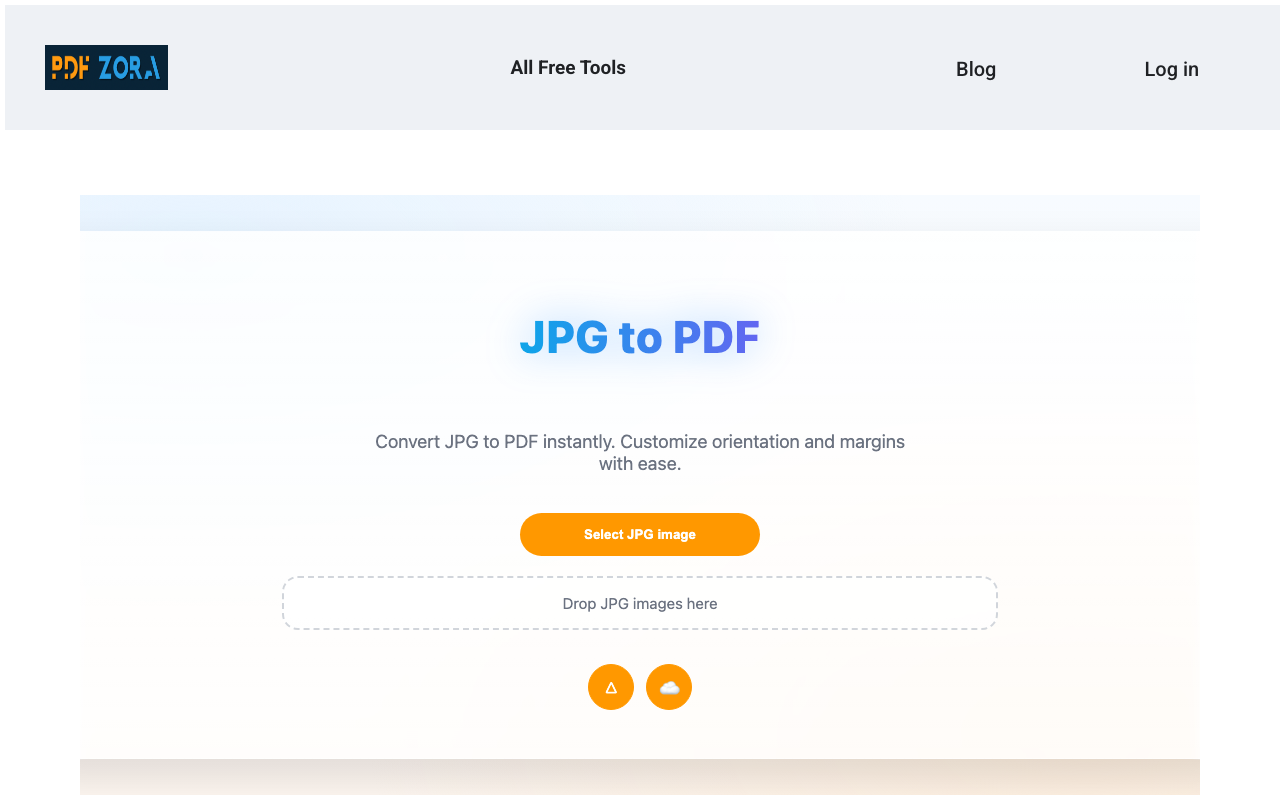
Upload your JPG images
Click the "Select JPG files" button or drag and drop your images directly into the upload box. You can select multiple images at once.
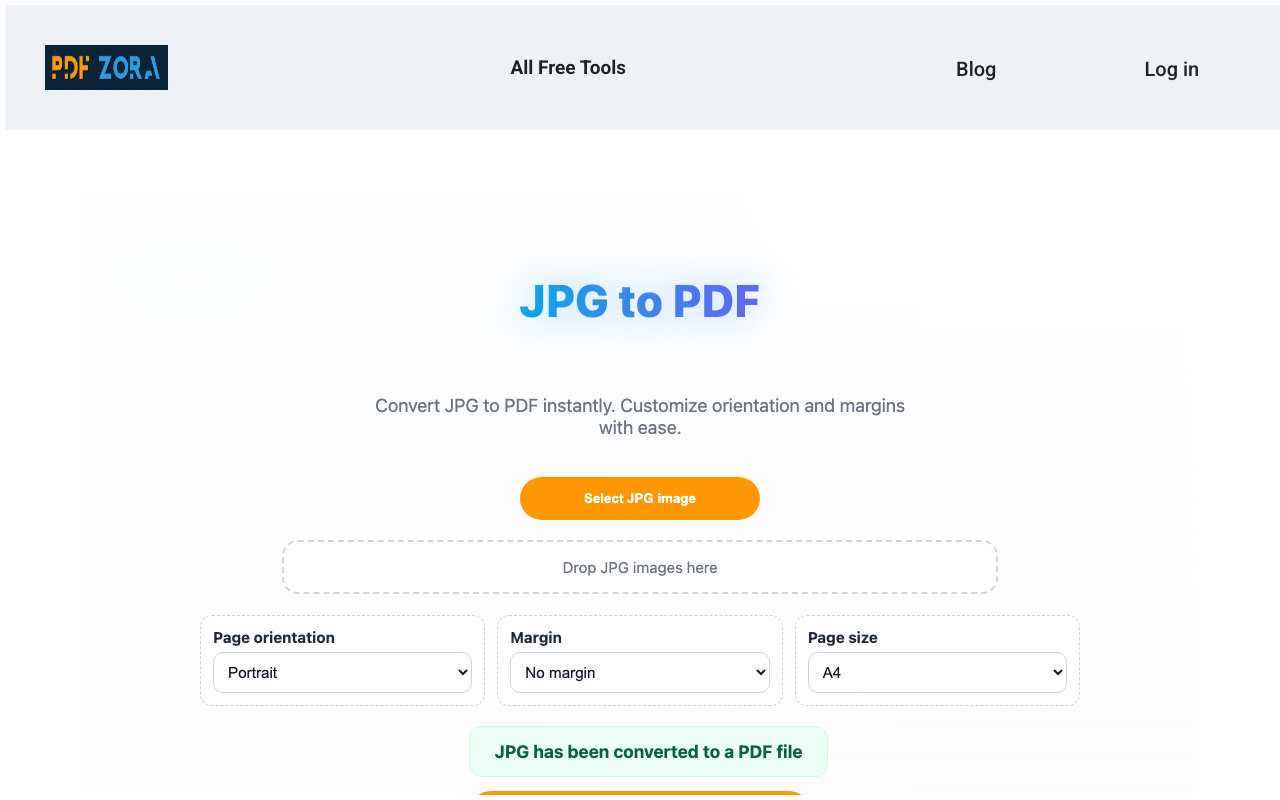
Click the covert button
Our tool processes your images, optimizing them for the page and converting them instantly into a PDF document.
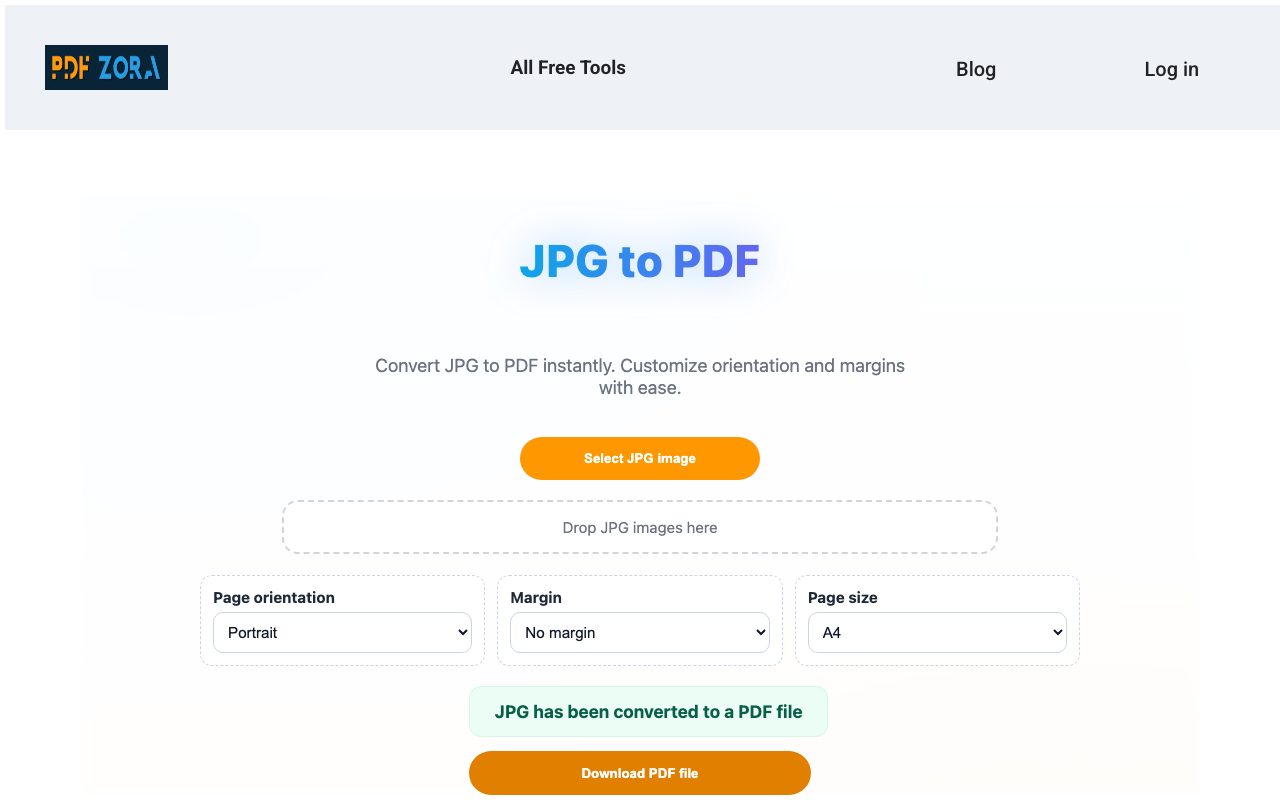
Download the file instantly
Once conversion is complete, click download to save your new PDF file to your device. Your file is ready for sharing or printing.
Supported Formats
We support a wide range of standard image formats to ensure maximum compatibility:
- Input Formats: JPG, JPEG.
- Output Format: High-quality PDF documents.
Why Use JPG to PDF on PDFZora?
PDFZora offers a premium conversion experience entirely for free. Unlike basic converters, our JPG to PDF tool is engineered to deliver:
- Speed: Experience lightning-fast processing times, saving you valuable time when handling large batches of photos.
- Precision: We preserve image resolution and layout, ensuring your final PDF looks exactly as intended.
- Simplicity: No technical skills required. Our intuitive drag-and-drop interface makes conversion effortless for everyone.
Key Features
- Batch Processing: Upload and convert multiple JPG images into a single PDF or multiple PDFs at once.
- High Fidelity: Ensures that your photos and graphics retain their original quality during conversion.
- Cross-Platform: Works seamlessly on Windows, Mac, Linux, iOS, and Android devices specifically via the web browser.
- Cloud-Based: No hidden downloads or heavy software installation; everything happens in the cloud.
JPG to PDF Online vs. Offline Software
Why clutter your computer with heavy software when you can achieve professional results online?
| Feature | PDFZora Online | Offline Software |
|---|---|---|
| Cost | 100% Free | Expensive Licenses |
| Installation | None | Required |
| Accessibility | Any Device | Single Device |
Why Online Tools Are Better for Most Users
Online tools like PDFZora remove the friction from file conversion. You don't need to worry about software updates, compatibility issues, or using up disk space. Just open your browser, upload your files, and you're done. It's the modern, efficient way to manage your documents.
Is It Safe to Use Online Tools?
Yes, absolutely. We use enterprise-grade security measures to ensure your data is handled with the utmost care. Using our online converter is as safe as checking your email or banking online, thanks to our robust encryption protocols.
Security & Protection
Your privacy is our top priority:
- SSL Encryption: All data transfers are encrypted via 256-bit SSL to prevent unauthorized access.
- Auto-Deletion: Your files are automatically deleted from our servers permanently after 60 minutes.
- No Access: No human ever views your documents; the entire process is fully automated.
Common Use Cases for JPG to PDF
- Students: Compiling lecture notes, diagrams, and photos of assignments into a single file for submission.
- Professionals: Preparing expense reports by converting scanned receipts and invoices into PDF format.
- Archiving: Converting old digital photos into a universal, long-term stable format for safe keeping.
Supported Devices and Browsers
PDFZora works seamlessly on:
- Operating Systems: Windows, macOS, Linux, iOS, Android.
- Browsers: Chrome, Safari, Firefox, Edge, Opera.
Frequently Asked Questions
Yes, PDFZora is completely free. You can convert your files without paying a dime or creating an account.
No. Our tool works entirely in the cloud. You only need a web browser and an internet connection.
Yes. We use SSL encryption and automatically delete all files after one hour to ensure your privacy.
Absolutely. PDFZora is fully responsive and works great on both iOS and Android smartphones and tablets.
Most conversions are completed in just a few seconds, depending on the file size and your internet speed.
We accept files up to 50MB, which covers almost all standard documents and images.
We strive to maintain the highest possible quality. Your documents will look professional and crisp.
Yes, our Batch Processing feature allows you to select and convert multiple JPG files simultaneously.
Explore More Tools
Image to PDF
Convert various image formats to PDF.
PDF to JPG
Turn your PDF pages into high-quality JPG images.
Compress PDF
Reduce the file size of your PDFs while maintaining quality.
Merge PDF
Combine multiple PDF files into one document.
Rotate PDF
Rotate individual pages or whole documents.
Crop PDF
Trim margins and crop PDF pages.
Ready to Convert Your JPG to PDF?
Join thousands of users who trust PDFZora for their daily document needs. Our JPG to PDF converter is the ultimate solution for turning images into professional digital documents. Whether you're handling personal photos, scanning business contracts, or archiving receipts, our tool delivers high-quality results in seconds. It's completely free, fully secure, and works seamlessly on any device.
Convert JPG Now