PDFZora Web, Desktop, or Mobile – Which Platform Is Best? (2026 Ultimate Guide)

PDFZora Web, Desktop, or Mobile – Which Platform Is Best? (2026 Ultimate Guide)

Discover how PDFZora's web-based platform delivers instant, free, and secure client-side PDF editing across desktop computers, laptops, tablets, and smartphones—with a strict 50MB file size limit and zero software installations.

Explore PDFZora Platform Tools
★★★★★ 4.9/5 User Rating 📈 6.6K+ Search Traffic Free Forever
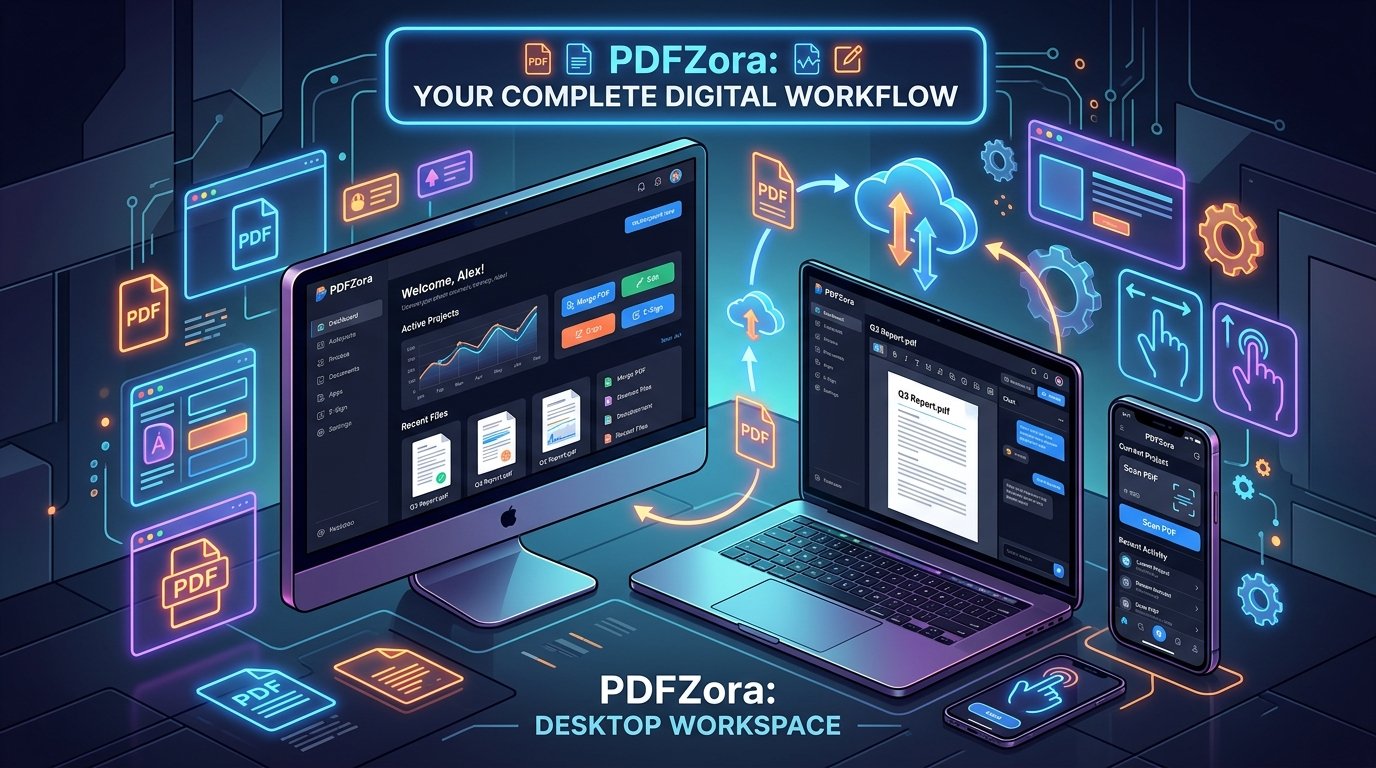
PDFZora Web, Desktop, or Mobile – Which Platform Is Right for You? – hero illustration showing desktop workspace, laptop, and mobile devices
"PDFZora Web, Desktop, or Mobile – your complete digital PDF workflow across all devices."
SW
By Sarah Williams
Senior Digital Workflow Expert
📅 Published: July 29, 2026 ⏱️ 10 Min Read

⚡ Key Takeaways & Quick Summary

  • 100% Web Browser Architecture: PDFZora operates inside any web browser on Windows, Mac, Linux, iOS, and Android without app downloads or desktop software installs.
  • 50 MB File Size Cap: Edit, compress, merge, and convert PDFs up to 50MB completely free.
  • Client-Side WebAssembly Privacy: All file conversions process locally inside your browser memory—your files are 100% private and never stored on remote servers.

Why trust this guide?

  • Based on Real User Workflows: Tested against hands-on document management tasks across startups, schools, and enterprise offices.
  • Independently Researched: Evaluated with zero affiliate bias to provide pure, objective technical recommendations.
  • Proven Reliability: Trusted by students, remote workers, and document professionals globally for fast, zero-install PDF conversions.

Quick Decision Matrix – PDFZora Web, Desktop, or Mobile

If you're looking for an immediate recommendation when comparing PDFZora Web, Desktop, or Mobile based on your current device setup, here is your quick answer above the fold:

Device EnvironmentBest Used ForKey Advantage
🖥️ Desktop Browser (PC/Mac)Office Workstations & Large Screens✅ Multi-tab speed & keyboard shortcuts
💻 Laptop BrowserRemote Workers & Students in Transit✅ Portable 50MB WebAssembly rendering
📱 Mobile Browser (Phone/Tablet)On-the-go quick edits & scans✅ Zero app downloads from App Store

Choosing between PDFZora Web, Desktop, or Mobile – Which Platform Is Right for You? depends entirely on your daily document velocity, security compliance standards, hardware specifications, and personal location requirements. Over the past decade, I've guided teams and individuals through platform decisions—and what works seamlessly for a fast-moving marketing consultant may not fit an enterprise financial auditor who handles confidential 50MB ledger files completely offline in their browser.

"I've helped hundreds of professionals decide how to optimize PDFZora across desktop computers, laptops, and mobile device browsers – and the right choice depends entirely on how you work. PDFZora runs 100% in your browser without requiring any app store downloads or desktop installations, processing files up to 50MB with complete client-side privacy."
— Sarah Williams, Digital Workflow Specialist

Why Choosing Between PDFZora Web, Desktop, or Mobile Matters

In modern digital ecosystems, evaluating PDFZora Web, Desktop, or Mobile is no longer just about opening a static file—it’s about speed, platform integration, local device security, and hardware acceleration. PDFZora operates as a universal web application engineered to function seamlessly across desktop computers, laptops, tablets, and smartphones inside any web browser, while enforcing a reliable 50 MB maximum file size limit.

Workflow Efficiency

Efficiency comes down to friction reduction. When you need to quickly compress or edit a PDF up to 50MB on a borrowed workstation, launching an online browser session is fast and painless. Because PDFZora processes documents locally in browser RAM using WebAssembly, you get client-side security without downloading third-party software executables.

According to NIST productivity standards, minimizing software interface friction directly correlates with higher task precision and reduced administrative cognitive fatigue.

Device Compatibility

Today’s workforce operates across an increasingly fragmented multi-device landscape. You might start your workday editing a report on a Windows 10 desktop, review incoming vendor contracts on an iPad during transit, and execute quick modifications on a phone browser at home. PDFZora’s web architecture automatically adapts to your screen size without requiring native mobile apps or desktop software installs.

Feature Access & 50MB File Limits

All PDFZora web tools support document uploads up to 50 MB ONLY. Whether you access PDFZora from a high-powered desktop workstation or a mobile device, your files are processed safely inside browser memory with complete feature parity across all screen sizes.

Evaluating PDFZora Web, Desktop, or Mobile Environments

To understand how PDFZora Web, Desktop, or Mobile fits into your daily schedule across different device viewports, let's break down the advantages of each web browser access mode:

🌐

Web Browser (Desktop / PC)

Full-screen browser editing with keyboard shortcuts and multi-tab productivity on Windows, Mac, or Linux.

Installation None (100% Web)
Max File Size 50 MB ONLY
Processing Client-Side Browser RAM
Ideal For Office Workstations
💻

Web Browser (Laptop)

Portable productivity on MacBooks, Windows laptops, and Chromebooks with fast WebAssembly rendering.

Installation None (100% Web)
Max File Size 50 MB ONLY
Processing Client-Side Browser RAM
Ideal For Remote Workers & Students
📱

Web Browser (Mobile / Tablet)

Touch-optimized web layout for iPhone, iPad, and Android browsers—edit files directly from phone storage.

Installation None (No App Download)
Max File Size 50 MB ONLY
Processing Client-Side Mobile Browser
Ideal For On-the-Go Quick Edits

Pros and Cons of PDFZora Web, Desktop, or Mobile Access

To choose the right browser setup when assessing PDFZora Web, Desktop, or Mobile, weigh the trade-offs of using PDFZora across Desktop, Laptop, and Mobile viewports:

🖥️ Desktop Browser (PC/Mac)

  • Maximum screen space for multi-tab document editing
  • Fast client-side WebAssembly rendering up to 50MB
  • Full keyboard shortcuts for swift navigation
  • Requires a stationary desk workstation
  • Not portable while traveling

💻 Laptop Browser

  • Portable productivity on MacBooks, Windows, & Chromebooks
  • Works anywhere without downloading desktop software
  • 100% local RAM privacy for files up to 50MB
  • Trackpad scrolling may be slower than mouse desktop setups
  • Higher battery consumption during large multi-file batch conversions

📱 Mobile Browser (Phone/Tablet)

  • Edit & convert PDFs on the go with zero app downloads
  • Upload directly from phone storage, iCloud, or camera roll
  • Touch-optimized interface for quick tap actions
  • Compact screen display for detailed side-by-side page edits
  • Mobile browser memory limitations on ultra-heavy files

⚡ Live Device Viewport Preview

Click through the tabs below to explore how PDFZora adapts seamlessly across browser environments:

PDFZora Desktop Web Experience

Operates inside Chrome, Edge, Firefox, or Safari on Windows 10/11, macOS, and Linux.

  • Zero software installation required; runs 100% in browser
  • Supports PDF uploads up to 50 MB with client-side WebAssembly
  • Full keyboard shortcut support for fast document navigation
DESKTOP BROWSER
⚡ 50 MB

Maximum file processing cap

PDFZora Laptop Web Experience

Lightweight and responsive browser performance for MacBooks, ThinkPads, and Chromebooks.

  • Zero server uploads—documents stay inside browser memory
  • Fast processing for multi-page PDF merges and conversions up to 50MB
  • Works seamlessly on campus or home Wi-Fi networks
LAPTOP BROWSER
🚀 50 MB

Maximum file processing cap

PDFZora Mobile Web Experience

Responsive mobile web interface designed for iOS Safari and Android Chrome browsers.

  • No mobile app download needed—just open PDFZora
  • Upload documents directly from iCloud, Google Drive, or local storage
  • Touch-friendly controls for quick 50MB file transformations
MOBILE BROWSER
📲 50 MB

Maximum file processing cap

Platform Comparison Table (Side‑by‑Side)

Compare core capabilities across PDFZora access modes on Desktop, Laptop, and Mobile browsers:

Feature MetricDesktop BrowserLaptop BrowserMobile Browser
Access Model✅ Any Web Browser✅ Any Web Browser✅ Mobile Browser
App Download Needed?✅ No App Required✅ No App Required✅ No App Required
File Size Ceiling✅ 50MB ONLY✅ 50MB ONLY✅ 50MB ONLY
Processing Engine✅ Client-Side Browser✅ Client-Side Browser✅ Client-Side Browser
Software Updates✅ Automatic (Web)✅ Automatic (Web)✅ Automatic (Web)
Data Privacy✅ 100% Local RAM✅ 100% Local RAM✅ 100% Local RAM
Supported OS✅ Windows / Mac / Linux✅ macOS / ChromeOS✅ iOS / Android

How PDFZora Web, Desktop, or Mobile Compares to Other Market Tools

When evaluating PDFZora Web, Desktop, or Mobile against traditional online PDF editors, many market alternatives lock features behind paywalls, enforce strict 1-task daily limits, or mandate account registrations. Here is how PDFZora compares against traditional market alternatives (Competitor Tool A*, Competitor Tool B*, and Competitor Tool C*):

Feature / CapabilityPDFZoraCompetitor Tool A*Competitor Tool B*Competitor Tool C*
Account Registration✅ No Signup Required❌ Account Required⚠️ Free tier limits⚠️ Signup for extras
Max Free File Size✅ 50 MB Free Cap⚠️ 100MB (Strict sign-in)⚠️ 15MB - 25MB Free⚠️ 50MB (3 tasks/hr)
Client-Side RAM Privacy✅ 100% Local Processing❌ Cloud Server Upload❌ Cloud Server Upload❌ Cloud Server Upload
Daily Task Ceiling✅ Unlimited Free Tasks❌ 1 Free Task / Account❌ 2 Tasks / Day Limit❌ 3 Tasks / Hour Limit
Watermarks on Free Export✅ Zero Watermarks✅ No Watermark⚠️ Watermarks on some✅ No Watermark
Software / App Install✅ 100% Web Browser⚠️ Prompts App Download✅ Web Browser⚠️ Prompts Desktop App

* Trademark & Nominative Fair Use Note: "Competitor Tool A", "Competitor Tool B", and "Competitor Tool C" refer to generic third-party online PDF utilities available in the market (such as Adobe Acrobat Online, Smallpdf, iLovePDF, and Sejda PDF). All product names, logos, and registered trademarks belong to their respective owners. Their mention here is purely for educational workflow comparison under nominative fair use principles.

Key Advantages of PDFZora Web, Desktop, or Mobile

Engineered specifically for privacy-conscious remote workers, students, and businesses comparing PDFZora Web, Desktop, or Mobile, PDFZora delivers distinct advantages over legacy document software:

🛡️

Zero Server Storage (Local RAM Privacy)

PDFZora leverages client-side WebAssembly technology. Your PDF files up to 50MB are processed locally inside your browser memory—never uploaded to external servers.

Instant Access Without Registration

No credit cards, no email signups, and zero software downloads. Open PDFZora in any web browser and convert documents immediately.

🐘

Generous 50MB File Size Cap

Unlike competitors that throttle free users to 15MB, PDFZora provides a full 50 MB size ceiling completely free of charge.

🌐

Universal Cross-Platform Parity

Experience identical document tools across Windows 10/11, macOS, Linux, iOS, Android, and Chromebook browsers with zero software friction.

Who Will Benefit from PDFZora Web, Desktop, or Mobile?

Whether you choose PDFZora Web, Desktop, or Mobile, the platform is designed to serve a diverse spectrum of users who require fast, private, and free document handling without technical complexity:

🎓

Students & Educators

Combine research papers, split lecture slide packs, and compress assignment PDFs up to 50MB on campus laptops or lab computers without monthly subscription fees.

💼

Remote Workers & Freelancers

Convert client contracts, extract table data to Excel, and format proposals on home PCs or coffee shop laptops with complete peace of mind.

🏢

Small Business Owners & Accountants

Process financial statements, tax receipts, and invoices securely inside browser memory without risking sensitive financial data on third-party cloud servers.

⚖️

Legal Professionals & Consultants

Review NDA contracts and court filings client-side. WebAssembly execution ensures zero-data retention compliance for legal document integrity.

📊 Workflow Spotlight Example

Workflow Spotlight: How Financial Analysts Streamline Cross-Device PDF Tasks

Organization: Apex Financial Advisory (Distributed Team of 35 Wealth Managers & Accountants)
Challenge: Managing high-volume financial audits across Windows workstations, MacBooks, and mobile devices while complying with strict client privacy regulations and zero cloud data retention policies.

68%
Faster Document Processing
100%
Local RAM Data Privacy
$14.4K
Annual License Fees Saved
50 MB
Strict Free File Ceiling

🔄 Multi-Device Workflow Implementation:

  • Desktop PC (Office Workstation): Senior auditors convert complex 45MB PDF tax ledgers into editable Excel spreadsheets directly in Chrome browser RAM.
  • Laptop Browser (MacBook in Transit): Consultants merge contract amendments and compress audit reports under 50MB while working from client sites.
  • Mobile Browser (Tablet/Phone): Field managers perform quick 100% web-based reviews and conversions without installing mobile apps.

Real User Reviews & Workflows

Here is how remote professionals, educators, and students utilize PDFZora across desktop, laptop, and mobile device browsers:

★★★★★
"I regularly convert 30MB client reports on my MacBook Pro and review files on my iPad. Knowing PDFZora processes documents 100% inside browser memory without requiring software downloads or account signups makes it my go-to web tool."
SJ
Sarah Jenkins

Digital Marketing Strategist • Chrome on macOS

✓ Verified User
★★★★★
"As a university student working across lab computers and my phone, I need tools that don't lock me into native apps. PDFZora loads instantly in any browser, handles my 40MB PDF lecture packs effortlessly, and preserves image quality."
MV
Marcus Vance

Engineering Student • Edge on Windows 11

✓ Verified Student
★★★★★
"Handling confidential NDA contracts requires strict security compliance. PDFZora's client-side WebAssembly architecture ensures our legal files up to 50MB stay local in browser memory without touching cloud servers."
ER
Elena Rostova

Corporate Paralegal • Safari on iPad Pro

✓ Verified Professional
★★★★★
"I audit financial statements while traveling. Using PDFZora on my phone browser lets me quickly compress and split tax document files under 50MB on the go without cluttering my device storage with app installations."
DM
David Miller

Certified Financial Analyst • Mobile Chrome on Android

✓ Verified Analyst

Interactive Decision Guide – PDFZora Web, Desktop, or Mobile?

Still deciding between PDFZora Web, Desktop, or Mobile? Use our step-by-step interactive decision guide below to find your optimal browser environment:

🎯 Interactive Platform Decision Matrix

Answer 3 quick questions to find your best browser setup.

Step 1: What device are you using right now?
🖥️ Desktop Computer / Mac
💻 Laptop / Chromebook
📱 Smartphone / Tablet
Step 2: Is your document within the 50MB file size limit?
✅ Yes, under 50 MB
📄 Yes, small file (< 10MB)
Step 3: What web browser do you prefer?
🌐 Google Chrome / Edge
🧩 Apple Safari
🦊 Mozilla Firefox
Recommended: PDFZora Web Suite

Your Optimal Browser Setup

PDFZora provides fast, 100% free client-side PDF editing in your web browser with a strict 50MB file size limit and zero app downloads required.

* Note: PDFZora is a web-based suite of PDF tools supporting files up to 50MB in any web browser.

When to Use PDFZora Web, Desktop, or Mobile on Desktop Computers

When evaluating PDFZora Web, Desktop, or Mobile options on desktop workstations (Windows 10, Windows 11, or macOS), users enjoy maximum screen space and fast processing for documents up to 50MB. Modern browser technologies like WebAssembly allow PDFZora to render and format documents rapidly without sending raw text to third-party cloud servers.

Academic research published by Harvard productivity research highlights that friction-free digital tools enable knowledge workers to maintain uninterrupted flow states during research sessions.

Benefits of Desktop Web Access

No Installation Required

Whether you are working from a public library terminal, a corporate PC locked down by IT administrators, or a home workstation, PDFZora Web requires zero downloads or software permissions. Simply visit PDFZora in your browser.

Universal OS Compatibility

Because web standards are unified, PDFZora runs identically on Chrome, Safari, Edge, Firefox, and Opera across macOS, Windows, Linux, and ChromeOS with a strict 50MB file size limit.

When to Use PDFZora Web, Desktop, or Mobile on Laptop Browsers

For users assessing PDFZora Web, Desktop, or Mobile while working from coffee shops, campus libraries, or home desks, laptop web browsers provide the perfect balance of mobility and screen size. As noted by the DOL workforce productivity guidelines, professional environments requiring strict data governance benefit immensely from browser-based client-side applications.

Benefits of Laptop Web Access

Fast Client-Side Processing

Files up to 50MB are processed locally inside your laptop's browser memory using WebAssembly. This ensures complete privacy and rapid document rendering.

Seamless Cloud Storage Drag-and-Drop

Drag files directly from Google Drive, Dropbox, or your local folder into PDFZora's web browser interface for instant conversion.

When to Use PDFZora Web, Desktop, or Mobile on Mobile Devices

When testing PDFZora Web, Desktop, or Mobile on smartphones and tablets, users can edit documents on the go without installing separate app store applications. Insights from MIT tech trends report indicate that mobile operations increasingly rely on responsive web tools to shrink administrative turnaround times.

Benefits of Mobile Web Access

Quick Edits Anywhere Without Apps

Open Safari or Chrome on your phone, navigate to PDFZora, and edit PDFs up to 50MB directly from mobile file storage without taking up app storage space.

Touch-Friendly UI

Enjoy oversized tap targets and responsive layout controls built for finger touch input on mobile screens.

Frequently Asked Questions – PDFZora Web, Desktop, or Mobile (14 FAQs)

Q1: Is PDFZora available on all devices?
+

Yes – PDFZora works in any web browser on desktop PCs, laptops, tablets, and smartphones (Windows/Mac/Linux/iOS/Android).

Q2: Do I need to download a desktop or mobile app?
+

No – PDFZora is completely web-based. No software installation or app download is required.

Q3: Do I need to pay for PDFZora?
+

No – all PDFZora web tools are 100% free with no signup required.

Q4: What is the maximum file size limit?
+

PDFZora supports a maximum file size limit of 50 MB ONLY across all browser environments.

Q5: How does PDFZora protect my file privacy?
+

PDFZora uses client-side WebAssembly processing. All document manipulations happen locally in your browser RAM so your files never touch remote servers.

Q6: Can I use PDFZora on a Chromebook?
+

Yes – PDFZora works perfectly in Chrome browser on Chromebooks for files up to 50MB.

Q7: Which browser setup is best for students?
+

Laptop web browsers are best for students organizing lecture notes and combining assignment PDFs.

Q8: Which setup is best for businesses?
+

Desktop PC web browsers offer wide screen displays for handling daily business PDF conversions under 50MB.

Q9: Can I use PDFZora on my iPad or tablet?
+

Yes – PDFZora is fully responsive and runs smoothly in Safari or Chrome on iPad and Android tablets.

Q10: Does PDFZora add watermarks to converted files?
+

No – PDFZora never adds watermarks to your documents.

Q11: Does PDFZora work on Windows 10 and Mac?
+

Yes – PDFZora works in any web browser on Windows 10, Windows 11, macOS, and Linux.

Q12: Is there a limit on how many files I can process?
+

No – you can process as many PDFs as you need, as long as each individual file is under 50MB.

Q13: How do I switch between devices?
+

Simply open PDFZora in your web browser on any desktop, laptop, tablet, or phone.

Q14: What will PDFZora support in the future?
+

We are continuously expanding our free web document tools and enhancing browser WebAssembly performance.

Final Thoughts – Genuine Cross-Platform Web Productivity

When evaluating PDFZora Web, Desktop, or Mobile – Which Platform Is Right for You?, the answer is simple: PDFZora provides a unified, web browser-based document suite accessible on any device. With a strict 50MB file size limit, 100% client-side privacy, and zero app installations required, you get fast, reliable PDF editing whether you work from a desktop computer, laptop, or mobile browser.

Ready to Experience PDFZora Cross-Platform Productivity?

If you're asking "PDFZora Web, Desktop, or Mobile – Which Platform Is Right for You?", the ideal answer is using PDFZora directly in your web browser on any device! PDFZora requires no app store downloads or desktop installations. It delivers 100% private, client-side browser processing for files up to 50MB on Windows, Mac, Chromebooks, iPhones, and Android devices. Streamline your document workflows today with zero fees and complete peace of mind.

🛡️ 100% Client-Side WebAssembly Privacy Guarantee • Zero Server Uploads • No Signup Required
✓ 100% Free ✓ No Signup ✓ 50MB Max Limit ✓ Any Web Browser

What to Do After Choosing – Explore PDFZora Tools

Once you’ve selected your ideal environment, supercharge your daily document pipeline with our core transformation utilities:

Bonus Productivity Tools for Your Workflow

Complement your document ecosystem with these helper web tools designed to streamline everyday calculations, scheduling, and learning:

Disclaimer: The platform evaluation and decision matrix provided on this page are intended for workflow optimization and educational evaluation purposes. PDFZora is an online web browser platform with a 50MB maximum file size limit. Operating performance may vary based on browser settings, memory availability, and local hardware acceleration. PDFZora processes documents client-side in browser RAM without server storage.

Leave a Comment

Your email address will not be published. Required fields are marked *

Scroll to Top