
Protect PDF
Encrypt and secure your PDF documents with a password instantly.
What Is Protect PDF?
Protect PDF is a free online tool that lets you encrypt your PDF documents with a password, ensuring that only authorized users can view or edit them. It allows you to transform unsecured PDFs into password-protected PDFs quickly, securely, and without any software installation.
How to Protect PDF Online (Step-by-Step)
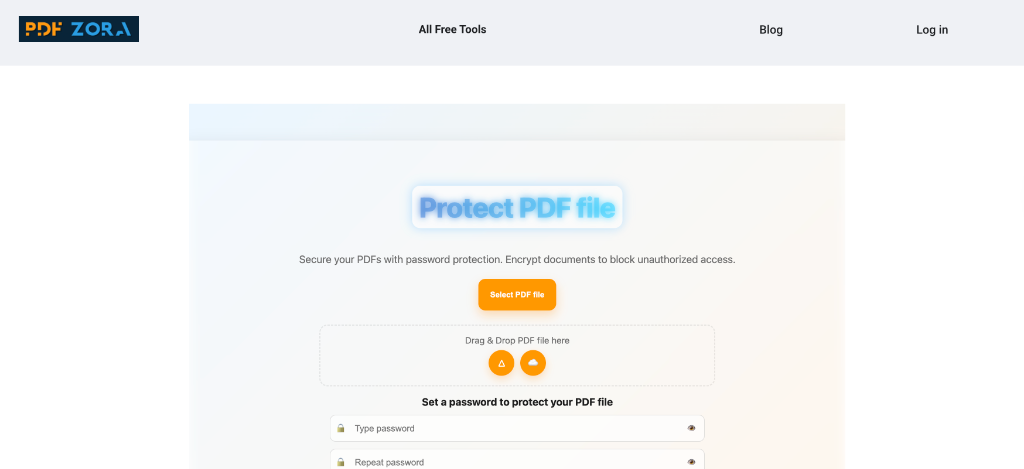
Upload your PDF
Click the "Select PDF" button or drag and drop your files into the upload box.
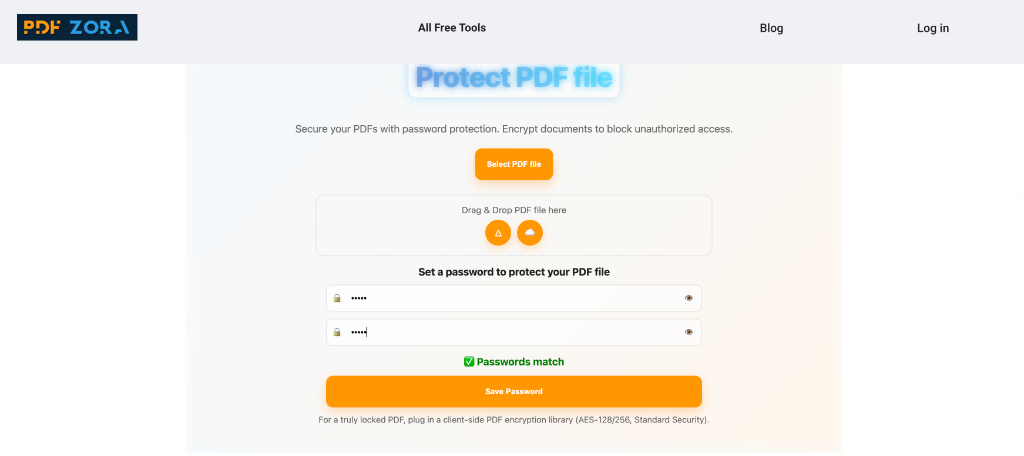
Set Password & Encrypt
Enter your desired strong password. Our tool processes your files with military-grade encryption.
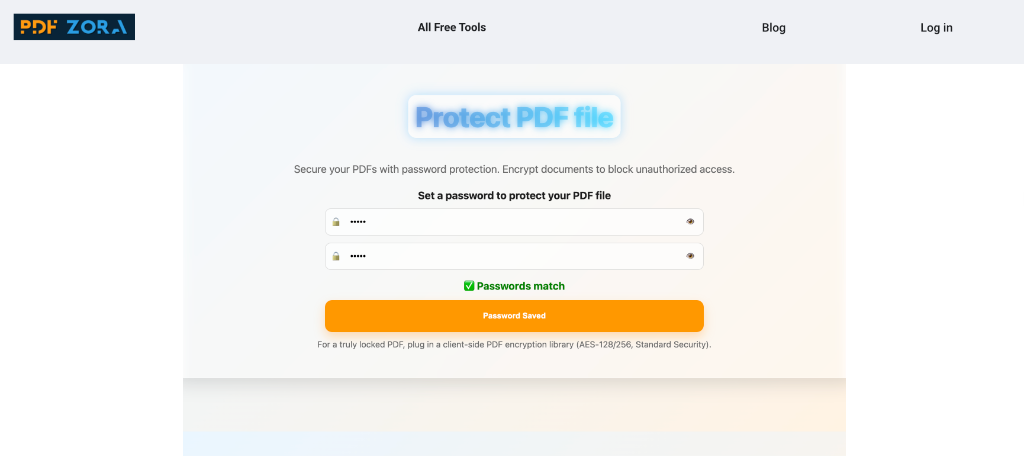
Download the file instantly
Once finished, save your new secured document to your device.
Supported Formats
We support a wide range of formats to ensure maximum compatibility:
- Input Formats: PDF
- Output Format: High-quality Encrypted PDF documents.
Why Use Protect PDF on PDFZora?
PDFZora offers a premium protection experience without the premium price tag. Unlike basic converters, our Protect PDF tool is engineered for:
- Speed: Instant encryption directly in your browser or cloud.
- Precision: Your document content remains untouched; only access is restricted.
- Simplicity: Simply upload, set a password, and download.
Key Features
- Batch Processing: Protect multiple PDFs at once.
- High Fidelity: Preserves original layout, fonts, and image quality.
- Cross-Platform: Works mainly on any device with a browser.
- Cloud-Based: No hidden downloads or heavy software installation.
Protect PDF Online vs. Offline Software
Why clutter your computer with heavy software when you can do it online?
| Feature | PDFZora Online | Offline Software |
|---|---|---|
| Cost | 100% Free | Expensive Licenses |
| Installation | None | Required |
| Accessibility | Any Device | Single Device |
Why Online Tools Are Better for Most Users
Online tools like PDFZora remove the friction from file security. You don't need to worry about updates, compatibility, or disk space. Just open your browser, upload, and you're done. It's the modern way to manage documents.
Is It Safe to Use Online Tools?
Yes, absolutely. We use enterprise-grade security measures to ensure your data is handling with the utmost care. Using an online converter is as safe as checking your email or banking online.
Security & Protection
Your privacy is our top priority:
- SSL Encryption: All data transfers are encrypted via 256-bit SSL.
- Auto-Deletion: Files are automatically deleted from our servers after 60 minutes.
- No Access: No human ever views your documents; the process is fully automated.
Common Use Cases for Protect PDF
- Students: Organizing assignments and study materials securely.
- Professionals: Protecting reports, invoices, and contracts.
- Archiving: Securing old files for long-term storage.
Supported Devices and Browsers
PDFZora works seamlessly on:
- Operating Systems: Windows, macOS, Linux, iOS, Android.
- Browsers: Chrome, Safari, Firefox, Edge, Opera.
Frequently Asked Questions
Yes, PDFZora is completely free. You can protect your files without paying a dime or creating an account.
No. Our tool works entirely in the cloud. You only need a web browser and an internet connection.
Yes. We use SSL encryption and automatically delete all files after one hour to ensure your privacy.
Absolutely. PDFZora is fully responsive and works great on both iOS and Android smartphones and tablets.
Most files are encrypted in just a few seconds, depending on the file size and your internet speed.
We accept files up to 50MB, which covers almost all standard documents and images.
No, adding a password does not affect the visual quality of your document.
Yes, our Batch Processing feature allows you to select and protect multiple PDF files simultaneously.
Explore More Tools
Unlock PDF
Unlock your PDFs, remove password protection, and open secured files.
Sign PDF
Sign documents yourself or request secure electronic signatures.
Add Watermark
Add text or image watermarks to your PDF documents.
Redact PDF
Permanently remove sensitive information from your PDFs.
Compare PDF
Compare documents side by side to identify changes instantly.
Split PDF
Split a PDF file into multiple files or extract specific pages.
Try Protect PDF Online – Free on PDFZora
Start protecting today. Fast, easy, and completely free. Experience the best online PDF security tool designed for students, professionals, and everyone in between. PDFZora provides a seamless, secure, and high-quality solution to handle your documents efficiently. Our Protect PDF tool ensures your files are safe. We value your privacy and time—no registration, no watermarks, just secure PDFs every time. Join thousands of satisfied users who trust PDFZora for their daily document needs.
Protect Now