
How to Password Protect a PDF for Free — And How to Remove the Password Later
Put a password on a PDF from the browser you already use, then take it back off when you need to edit, merge or archive the file. No install, no signup.
What a PDF password really locks, how to set one in under two minutes, and how to undo it.
Quick Answer
- To lock a file: open Protect PDF, set a password, download.
- To undo it: Unlock PDF hands back a clean, editable copy.
- Know the two locks: an open password hides the contents; a permissions password limits printing and copying.
- There is no reset link: lose the password and the file stays sealed.
Open Password vs Permissions Password
A PDF carries two locks; mixing them up is why a "protected" file isn't private.
Document open password
The user password: the contents are encrypted, so the text stays unreadable without it. Use it for invoices and contracts.
Permissions password
The owner password. Anyone can open the file; it governs printing, copying and editing only as a flag inside the file, which the reader's software may not enforce.
Take the open password when privacy matters, the permissions password when nobody should edit the final version. Adobe's overview explains both. Anyone holding the file can keep trying passwords offline with a dictionary attack (PDF encryption reference).
Lock or Unlock a PDF with PDFZora
Protect PDF adds a password; Unlock PDF removes it. Both run in a browser tab.
- Free to use, with no account
- Cloud-based: nothing to install
- Runs in the browser on Windows, macOS, Linux, iOS and Android
- Batch support for several files
- Layout preserved: fonts and images unchanged
The tool page lists a 50 MB cap, encrypted transfers, and files deleted after 60 minutes; the privacy page says work that can run in your browser never leaves it.
Step by Step: Password Protect a PDF
Open the Protect PDF tool
You land on an upload box. No account is needed to run it.
Add your file
Drag the PDF onto the box or tap Select PDF. Several at once, 50 MB each.
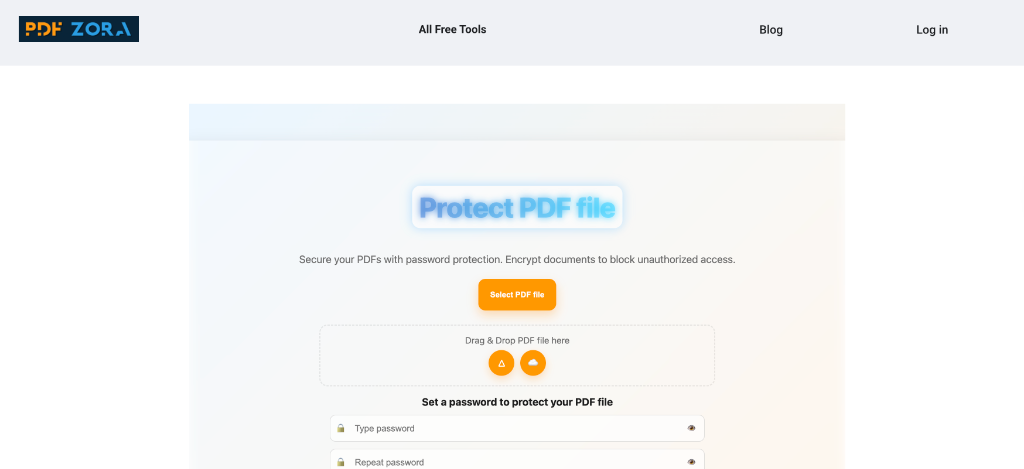
Type a password worth having
Length beats symbols; the table below covers what holds. Save the password in your manager.
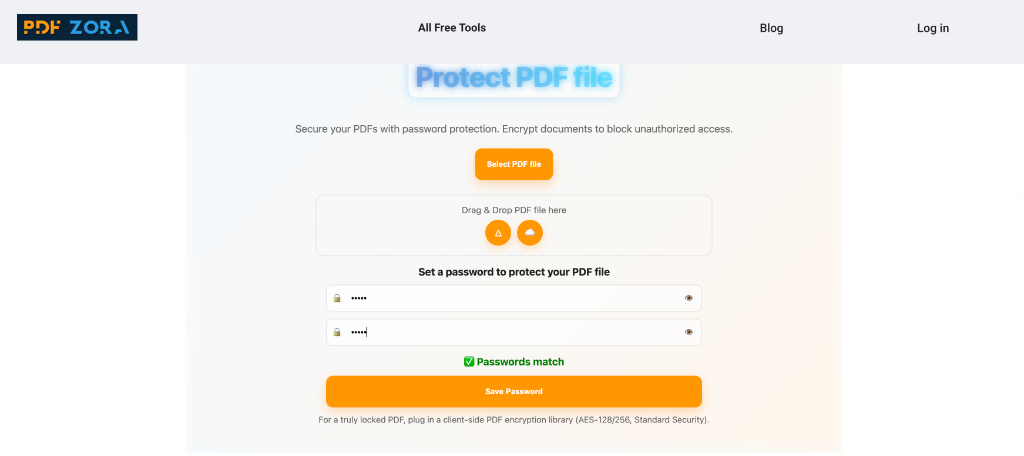
Download, then test it
Open the file on another device: if it asks for the password, the lock worked.
Step by Step: Remove the Password Later
You'll need the other direction: a bank PDF that won't merge, an old statement to update.
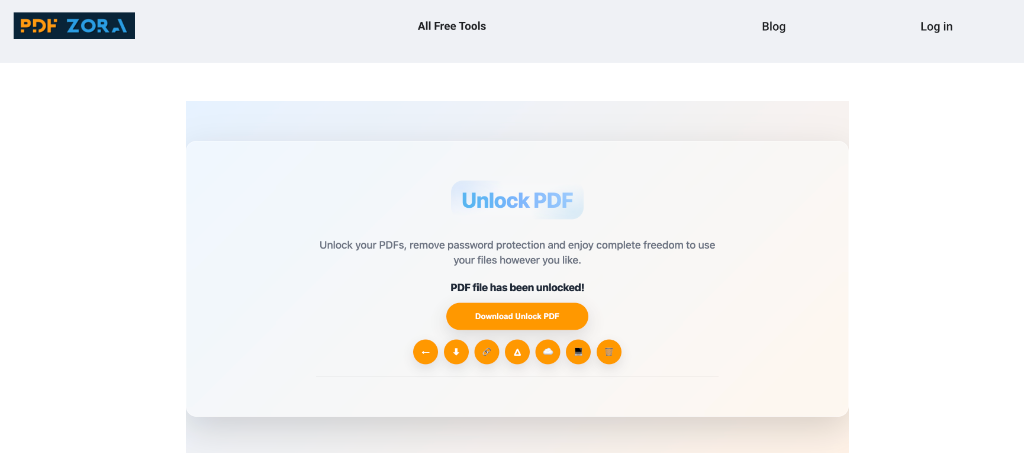
Open the Unlock PDF tool
Same layout as Protect, opposite job.
Upload the locked file
Drop the file in. The tool page lists PDFs locked with an owner or a user password as supported input.
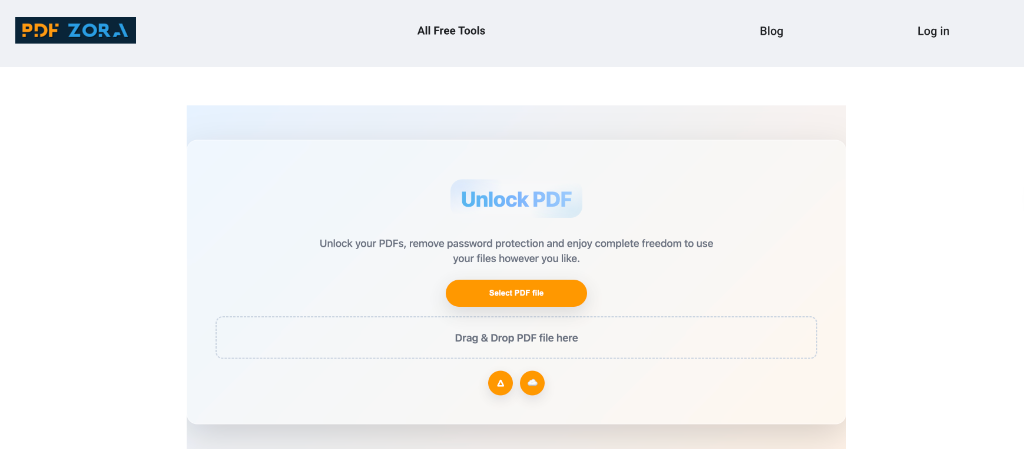
Run it and download the open copy
The document comes back without the security layer, so editing and merging work.
Re-protect what goes back out
Don't leave the unlocked copy in Downloads. Re-protect what you send out.
Pick a Password That Holds
NIST's SP 800-63B sets a floor of 8 characters, says verifiers should allow at least 64, says not to impose composition rules, and screens passwords against breached lists.
| Avoid | Prefer | Why |
|---|---|---|
| Client2026! | four lantern marble 71 | Four unrelated words with spaces beat one word with swapped symbols. |
| One password for every file | One per document or recipient group | One leak then opens everything. |
| Password in the email body | Password on another channel | The FTC guide for businesses tells you to encrypt sensitive information sent over public networks, and consider encrypting internal email. |
Rather not invent one? The password generator makes a long random string.
Six Mistakes People Make with Locked PDFs
- Sending the password with the file. One compromised inbox loses both halves.
- Setting only a permissions password and calling the file private. It isn't.
- Naming the file after the secret. "Statement — password mango71.pdf" explains itself.
- Confusing a password with redaction. Encryption hides the file from people without the key but removes nothing; anyone who opens it can screenshot the page.
- Thinking you can take it back. Anyone who opens the file can forward copies.
- Keeping no backup. Nothing recovers a password from the file; keep the original.
A file password is often the wrong tool. If recipients come and go, per-person links with expiry manage better; a signature proves agreement.
How to Password Protect a PDF for Free? 6 FAQs
Is it really free to password protect a PDF on PDFZora?
Yes. The tool page lists it as free with no account needed, files up to 50 MB, and batch processing.
Can someone still print, copy or forward a protected PDF?
Only an open password stops somebody reading the file. A permissions password asks the reader's software to behave, and only works if that software enforces it. Anyone who can open the file can copy it.
What happens if I forget the password?
Nothing recovers it. The file isn't tied to an account, so there's no reset link. Keep an unencrypted backup of anything important.
Can I remove the password later?
Yes, with Unlock PDF, on files you own or may change.
Does protection change how the document looks or prints?
No. The password sits around the pages instead of rewriting them: text, fonts and images come through as they were.
Can I password protect a PDF on my phone?
Yes. It runs in a browser, so Android and iPhone need no install. Recipients get a password prompt.
Free · Browser-based · No signup
Ready to password-protect a PDF for free?
Drop the file in, set a password, download it back. Up to 50 MB, in your browser.
- Layout preserved
- No registration
- Works on phone & desktop
- Uploads auto-deleted